
 Malaysia
 Singapore
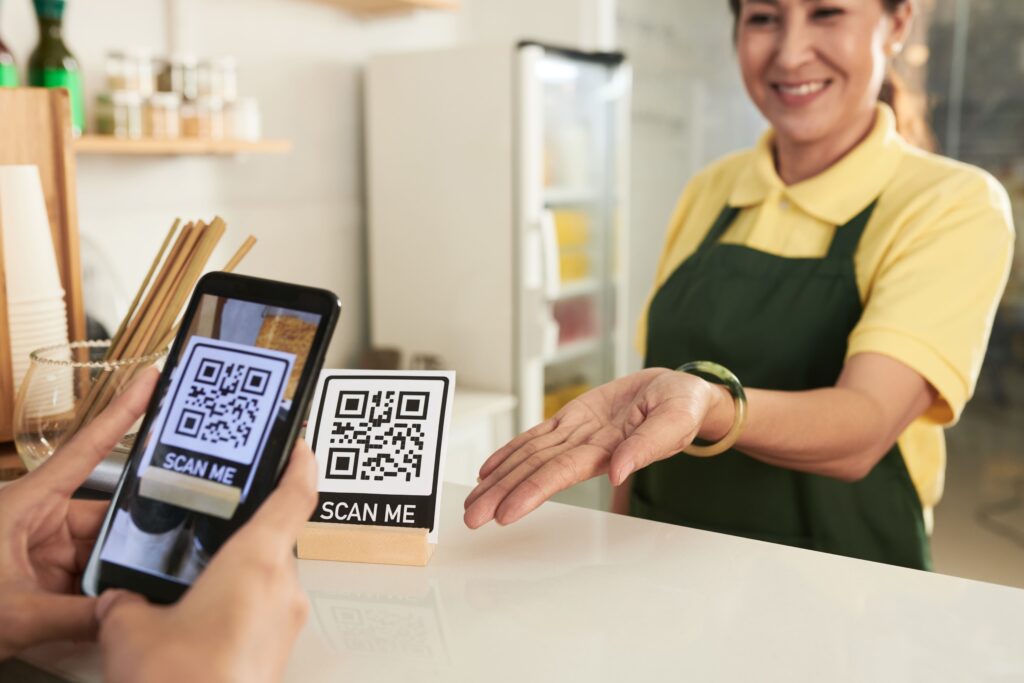
What Scan-to-Order Actually Means
Scan-to-order is a QR code placed on a table, a menu stand or a receipt that opens a digital menu on the customer’s own phone. From there, the customer browses, adds items to a cart, and pays, all without a printed menu or a server standing by to take the order down. The order lands in the kitchen queue the same way a counter order would.
It is easy to mistake this for a gimmick borrowed from bubble tea chains, but the underlying shift is about where the bottleneck in service sits. In a typical dine-in outlet, the limiting factor during peak hours is rarely the kitchen’s cooking speed. It is how quickly a server can reach every table, write down an order correctly, walk it to the kitchen, and then return to take payment. Scan-to-order removes three of those four steps.
Why Malaysian F&B Outlets Are Adopting It
A few forces are pushing scan-to-order from a nice-to-have into something closer to standard practice for Malaysian cafés and restaurants.
Labour is the first. Staffing a full floor of servers for lunch and dinner peaks, then sending most of them home during the quiet mid-afternoon hours, is expensive and hard to schedule around. Scan-to-order does not remove the need for floor staff, but it reduces how many are needed purely for order-taking, freeing them up for food running and table service instead.
Customer expectation is the second. Diners who already order food delivery, book appointments and pay bills from their phones increasingly expect the same convenience when they sit down at a table. A restaurant that still requires flagging down a server to place a second round of drinks can feel slower than it actually is, simply because the customer is comparing it to apps they use daily.
Order accuracy is the third, and the one owners notice fastest. A handwritten order passed from server to kitchen has more points where something can go wrong than an order typed directly by the customer. Removing that handoff cuts down on remakes and complaints tied to mishearing or misreading an order.
How Scan-to-Order Fits Into a Wider POS System
The value of scan-to-order drops sharply if it operates as a separate tool from the rest of the business. A QR ordering system that is not connected to the kitchen printer, the payment terminal or the sales reports just creates a fourth screen for staff to check, which defeats the purpose.
This is where scan-to-order needs to sit inside a proper POS system rather than run as a standalone app. When a customer places an order by scanning a table code, that order enters the same queue as walk-in counter orders and delivery orders from GrabFood or Foodpanda. Kitchen staff are not switching between screens to catch orders from different sources. Payment, once the customer pays through the QR menu, reconciles automatically against that table’s bill, so front-of-house staff are not manually matching a phone payment to a printed receipt at the end of service.
This also means the sales data from scan-to-order orders feeds into the same reporting a business already uses for stock and daily takings, rather than sitting in a separate export that needs to be combined by hand later.
What Changes at the Table
For the customer, the experience is straightforward. They scan a code, see a menu with photos and prices, add items, and pay by card or e-wallet. There is no waiting for a printed menu to become free at a busy table, and no flagging someone down mid-meal to order dessert.
For the business, a few operational habits shift. Menu updates, including sold-out items or price changes, need to happen in one place and apply instantly to every table, rather than requiring someone to physically update printed menus. Staff roles shift slightly too, from order-taking toward food running, table checks and handling exceptions, which tends to make service feel more attentive rather than less, once staff are not stretched thin writing down orders.
Average order value also tends to move upward. When a customer can add an item at any point without needing to catch a server’s attention, they are more likely to order an extra drink or a side than if doing so requires waiting several minutes for someone to walk past.
Getting Started With Scan-to-Order
Adding scan-to-order to an existing outlet does not require replacing hardware at every table. It typically means printing QR codes linked to each table number and connecting the ordering flow to whichever POS system already handles payments and kitchen tickets. The setup work sits mostly in menu configuration, making sure items, modifiers and prices in the digital menu match what is available that day.
Businesses already running EPOS360 for payments and delivery can add scan-to-order without introducing a separate system, since table ordering, delivery integration and loyalty rewards all run through the same POS system covered in EPOS360 as an all-in-one payment hub. For an outlet still weighing up whether to consolidate its tools, scan-to-order is often the feature that makes the case clearest, since the time it saves during a single lunch rush is visible almost immediately.
Book a demo to see how scan-to-order would work with your current menu and table layout, or start a trial through the EPOS360 console.