Install EPOS360 on Android
Updated: 15 Sep 2026
WHO THIS IS FOR
Anyone on an Android Device
- using it as the register or as a second device.
Merchants who want automatic updates
- rather than reinstalling by hand.
BEFORE YOU BEGIN
Android 8.0 or higher. Not sure? Open whatismyandroidversion.com on the device itself.
No Play Store on the device? Use the APK guide instead.
THE STEPS
Step 1: Launch the Play Store
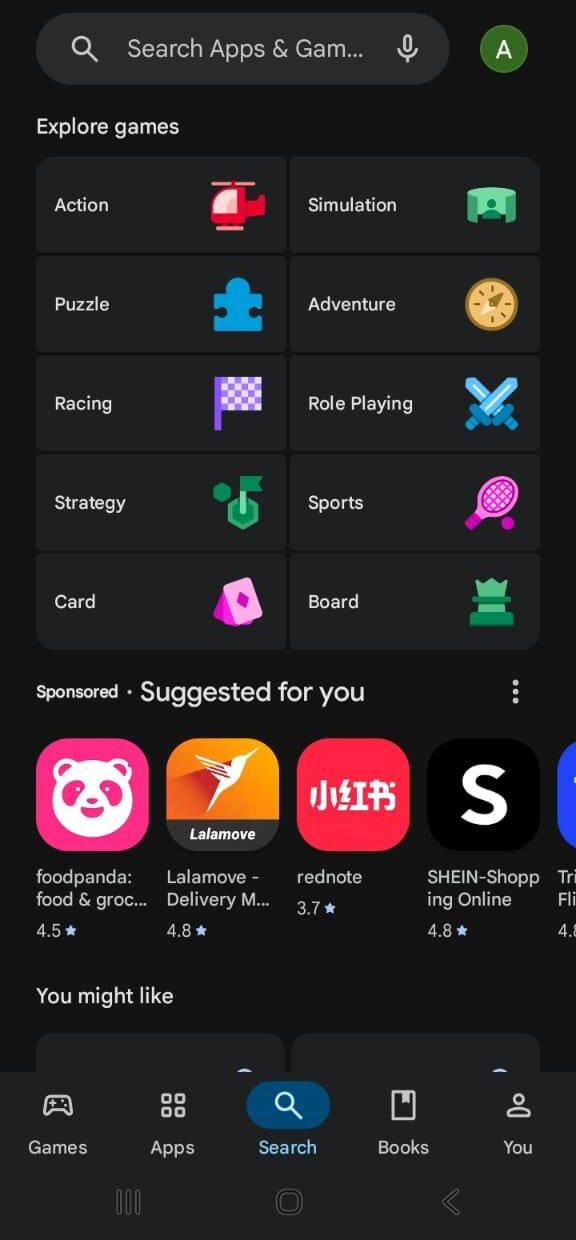
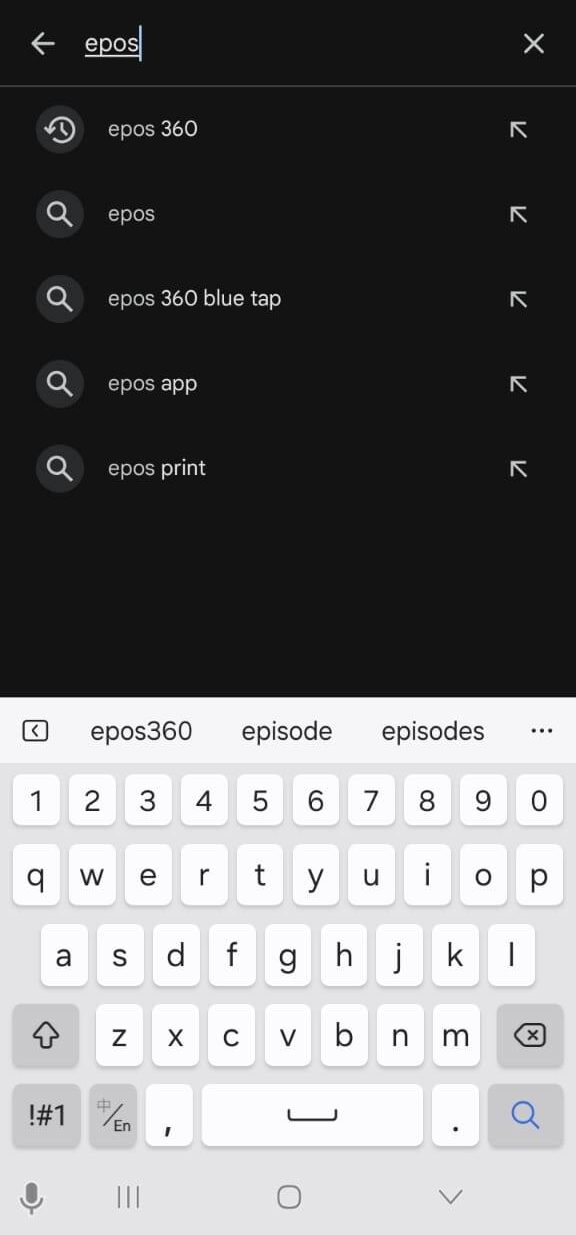
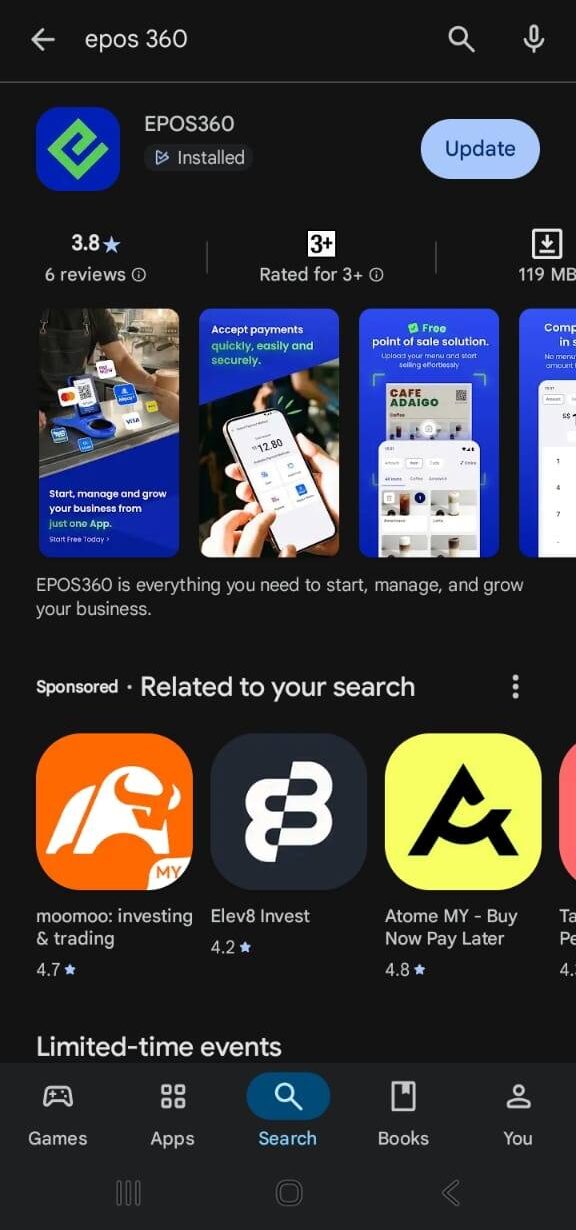
Launch the Play Store, tap Search and look for EPOS360. Open the official EPOS360 listing from the results.
Step 2: Download and install
Tap Install and let it finish, then tap Open.
Step 3: Pick your country
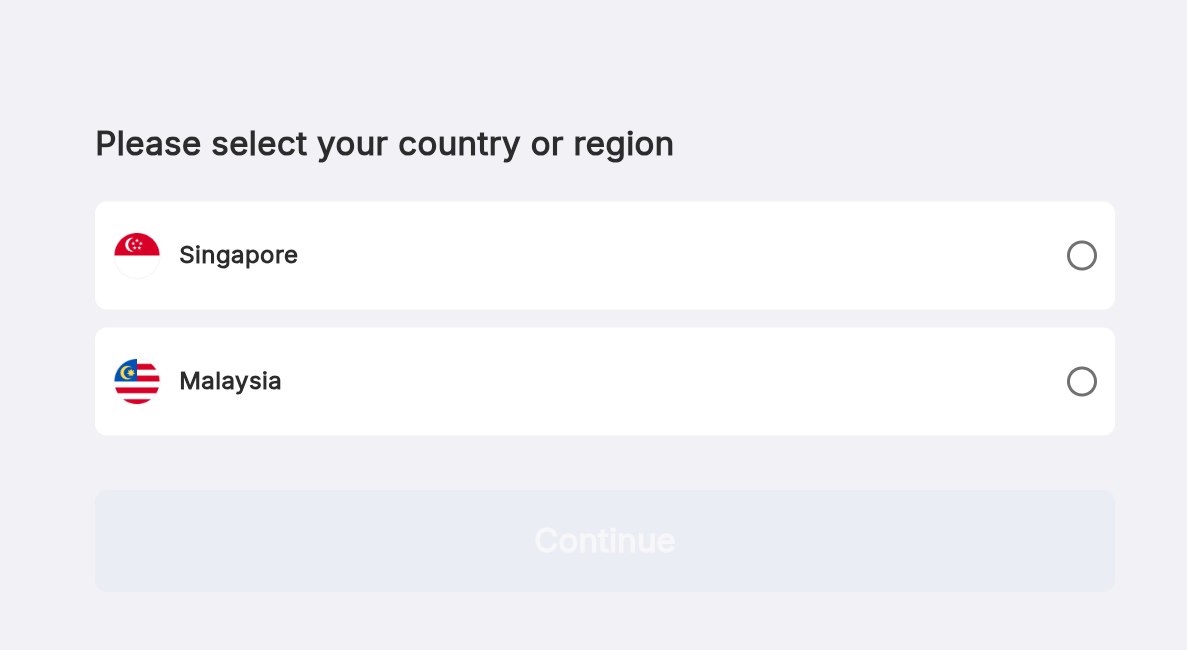
On the first screen, tap your country or region — MY for Malaysia, SG for Singapore — then tap the blue Continue button. Next: log in.
IF IT LOOKS WRONG
The Android version is likely below 8.0. Check it at whatismyandroidversion.com.
Some terminals ship without it. Use the APK download guide instead.
Turn on auto-update for EPOS360 in your Play Store settings, or update it manually from the listing.