
 Krystine
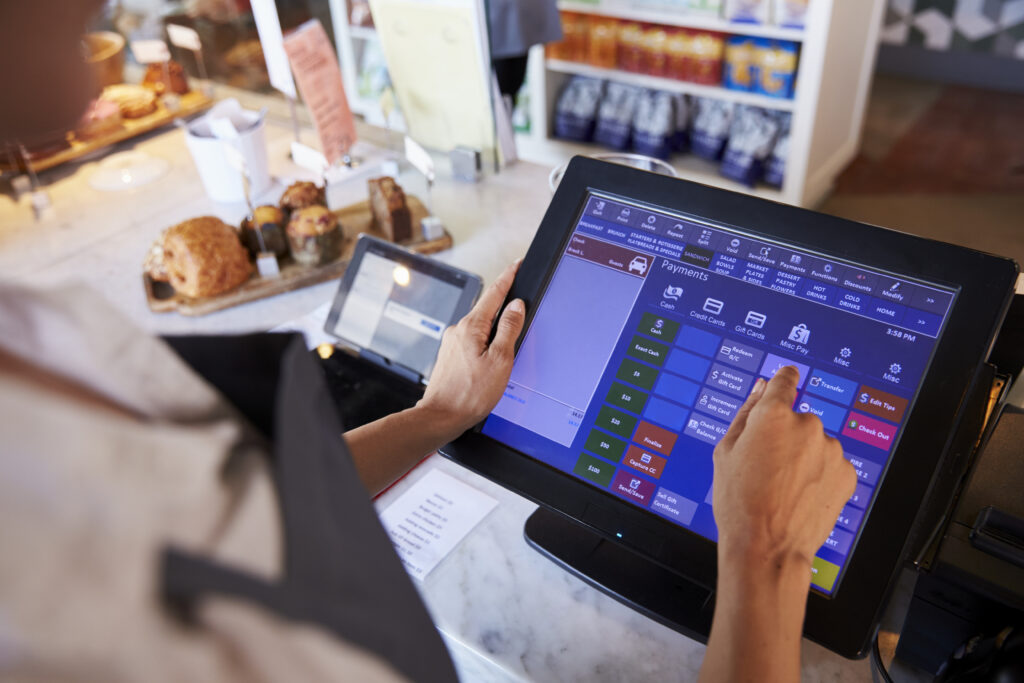
 The fear of losing months of sales history, menu configurations and customer data is often the real reason a restaurant sticks with a POS system it has already outgrown. Switching restaurant POS systems doesn’t have to mean starting from zero, provided the migration is planned properly.
Why Restaurants Delay Switching Even When They Want To
It’s common for a restaurant to know its current POS system is holding it back, no delivery integration, clunky reporting, hardware that keeps failing during service, and still put off switching for months or years. The reason is rarely that the alternative isn’t clearly better. It’s the fear of what happens during the switch itself: lost sales history, a broken menu on day one, staff confused mid-shift, or a busy weekend ruined by a system that isn’t fully set up yet.
This fear is reasonable, since a badly planned migration can genuinely cause all of these problems. But the risk sits almost entirely in how the switch is planned and timed, not in the act of switching itself.
What Actually Needs to Move
A restaurant POS migration involves a smaller list of things than it usually feels like from the outside. The menu, items, categories, modifiers and pricing, needs to be rebuilt or imported into the new system, which is usually the most time-consuming single step. Historical sales data, useful for year-on-year comparisons and tax records, needs to be either exported and archived or migrated directly if the new provider supports it. Customer and loyalty data, if the old system tracked it, needs a plan for whether it transfers or whether a new programme starts from the switch date. Staff accounts and permissions need setting up fresh, since these rarely transfer between systems regardless of provider.
Sales history specifically is worth separating from operational data in how it’s handled. A restaurant doesn’t need last year’s daily sales figures live inside the new system to keep operating, it needs them archived somewhere accessible for accounting and comparison purposes, which is a much lower-stakes requirement than assuming everything must migrate live before day one.
Payment hardware is the other piece worth planning for separately, since it’s often physical rather than just data. If the new system uses different terminals or card readers, staff need time to get comfortable with new hardware placement and workflow on top of a new screen interface, which is one more reason a quiet transition period matters more than most restaurants initially assume.
Timing the Switch Properly
The single biggest factor in a smooth POS migration is timing, not technology. Switching mid-shift or the night before a known busy period is how a manageable transition turns into a disaster. A quieter period, a slow weekday rather than a Friday night, gives staff room to work through unfamiliarity without the added pressure of a full house.
Running old and new systems in parallel for a short period, even just a day or two, is usually worth the extra effort. It gives staff a chance to process real orders on the new system while the old one is still available as a fallback, rather than switching cold and discovering a gap only once it’s too late to easily revert.
It also helps to designate one or two staff members as the point people for the new system during that overlap period, rather than expecting everyone on shift to troubleshoot equally. A server or manager who has spent extra time with the new setup beforehand can answer quick questions from colleagues mid-service, which keeps small confusions from turning into a slowdown at the counter. This matters more for a full-service restaurant with several staff working a floor than for a small café with one or two people on shift, but the principle holds either way: someone should know the new system well enough to unblock a colleague quickly.
What to Ask a New Provider Before Committing
Before switching, it’s worth getting specific answers from a new provider rather than assuming the migration will be handled automatically. Whether the provider offers direct data import from the current system, or whether menu and customer data need manual re-entry, changes how much internal work the switch actually requires. Whether historical sales data can be exported in a usable format before cancelling the old system matters for accounting continuity, since some providers make this harder to access after a subscription ends than before. And what support looks like during the actual switch week, not just during the sales process, is often where the real difference between providers shows up.
EPOS360 supports importing menu structures and historical data as part of onboarding, with a setup team involved during the transition rather than leaving a restaurant to configure everything from a blank system alone. This is standard practice worth confirming with any provider, not something unique to one, but it’s a fair question to ask directly before signing anything.
Making the Switch Feel Smaller Than It Looks
The restaurants that switch POS systems with the least disruption tend to break the process into the same few steps regardless of which system they’re moving to: back up and archive old sales data, rebuild the menu carefully rather than rushing it, run a parallel or quiet-period test before full switchover, and have support available during the first few live services rather than assuming everything will run cleanly on day one.
None of this requires losing sales history or starting from zero. It requires treating the switch as a planned project with a few days of lead time, rather than something to put off indefinitely out of concern for what might go wrong.
Book a demo to talk through what a migration from your current system would actually involve, or start a trial to see the setup process directly.


 Malaysia
 Global
 Singapore