

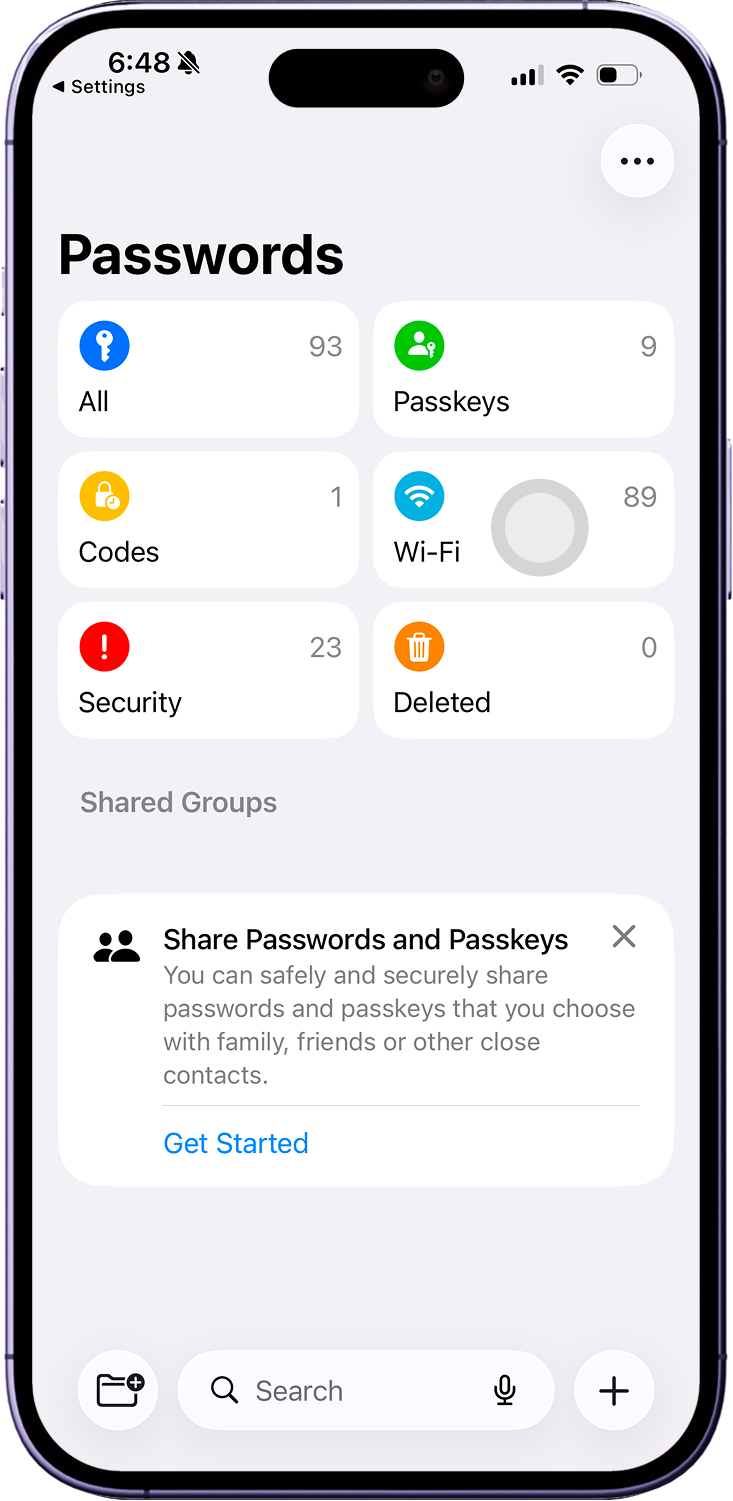
QR location may vary on Android.
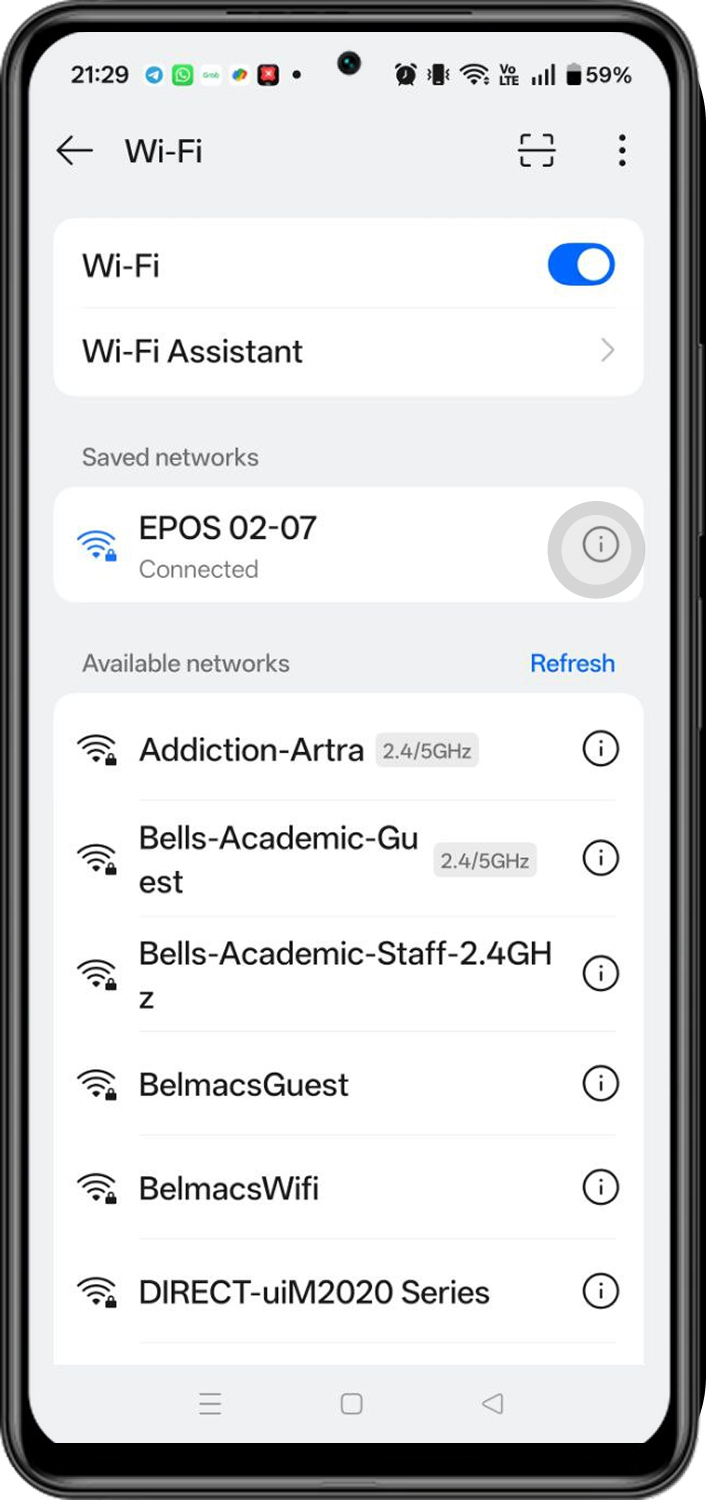
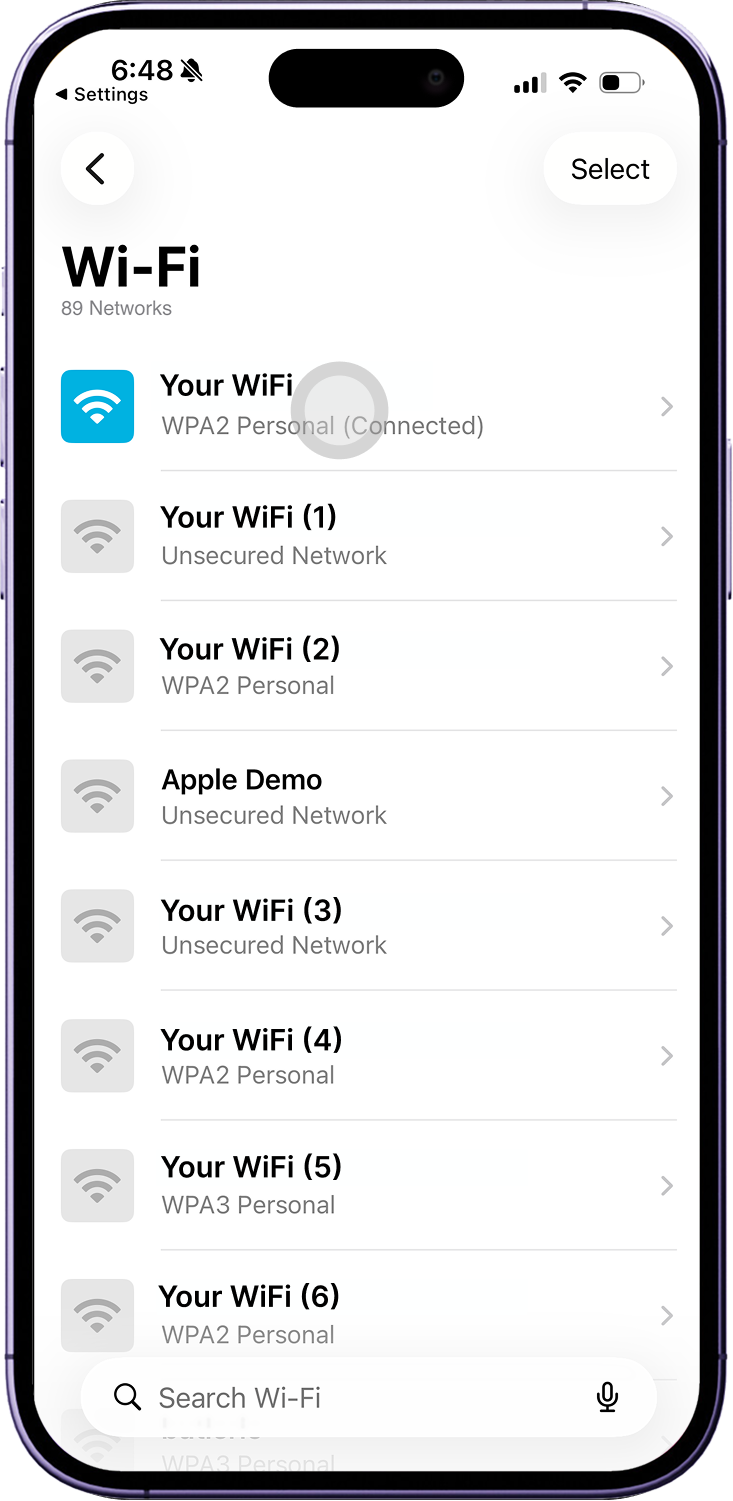
1. Open Wi-Fi settings on your phone
Go to Settings > WiFi on your phone.

2. Select your Wi-Fi network
Choose the network BlueTap should connect to.
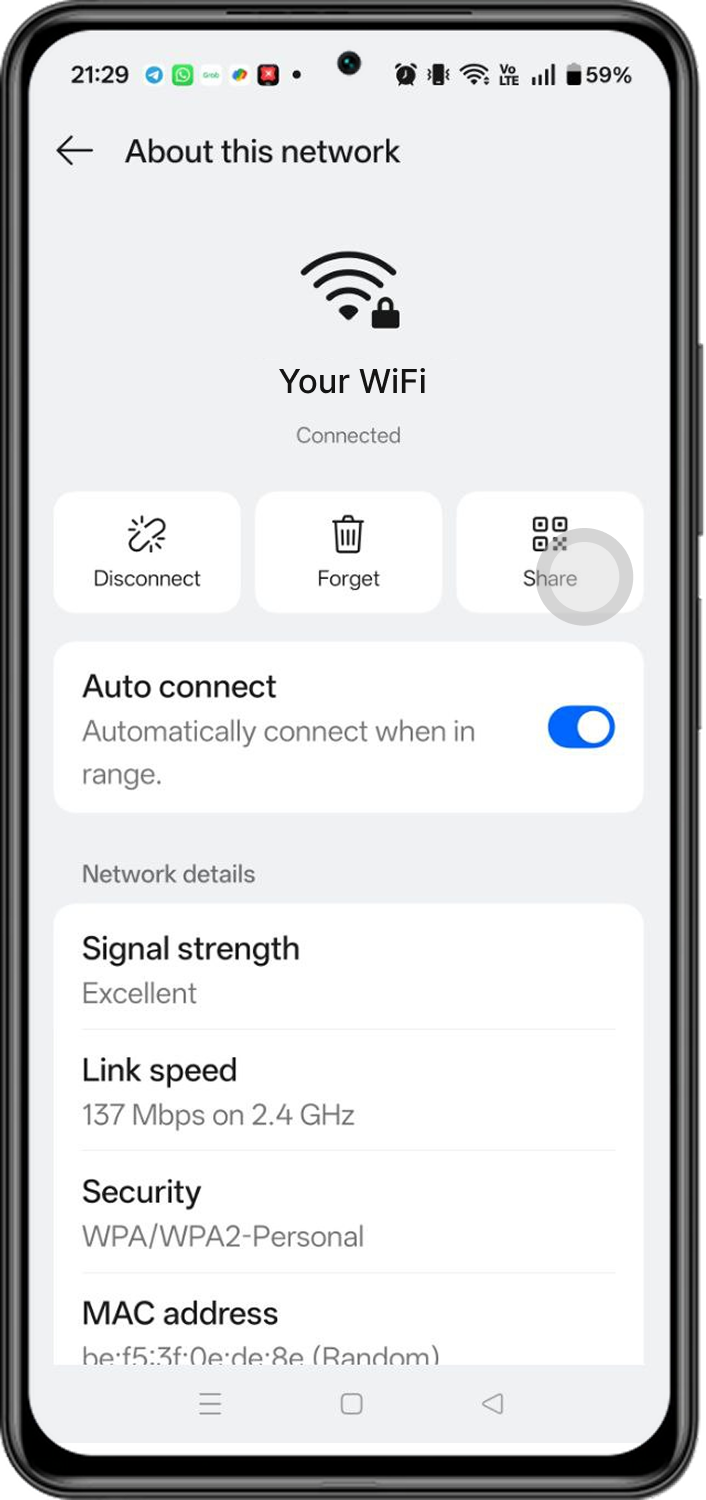
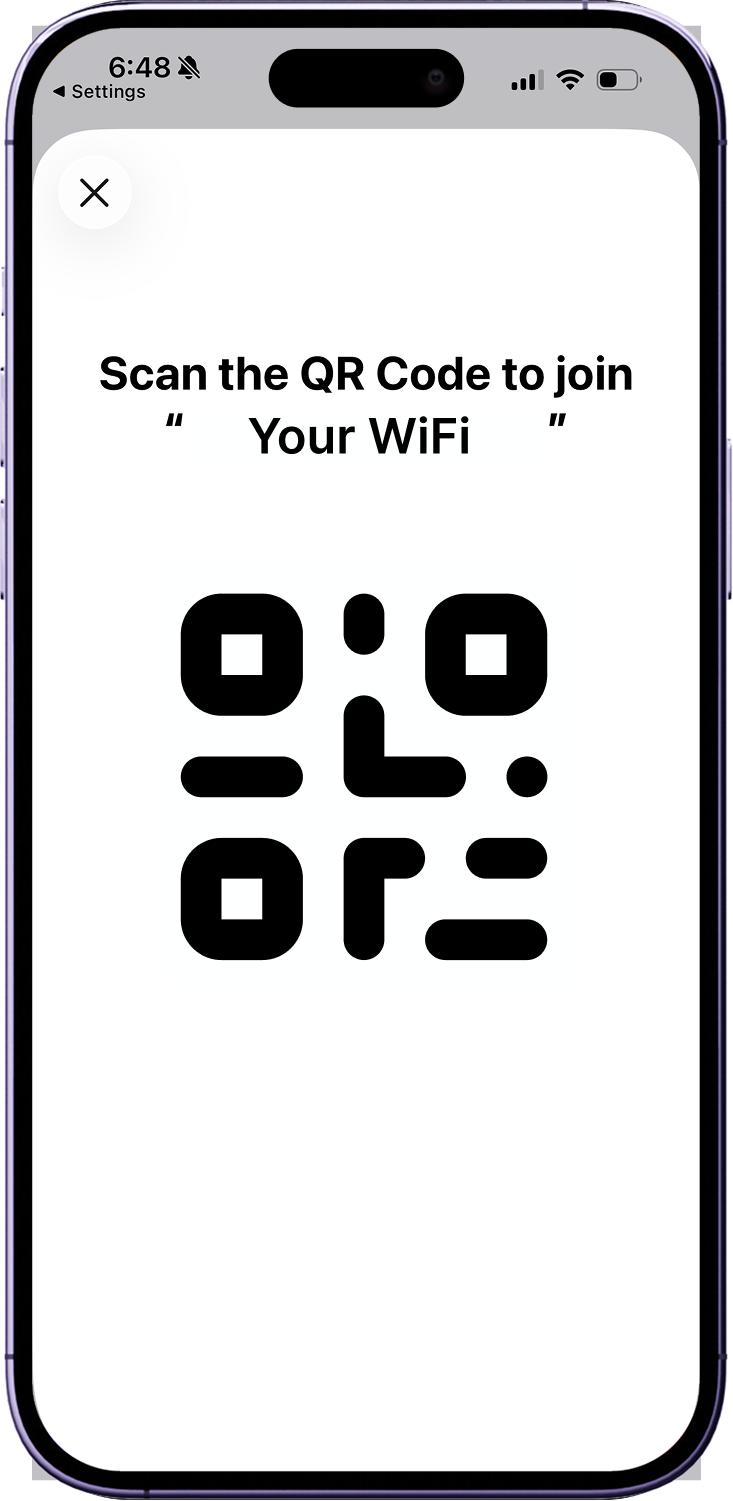
3. Show the Wi-Fi QR code
Open network details and tap Show QR code.
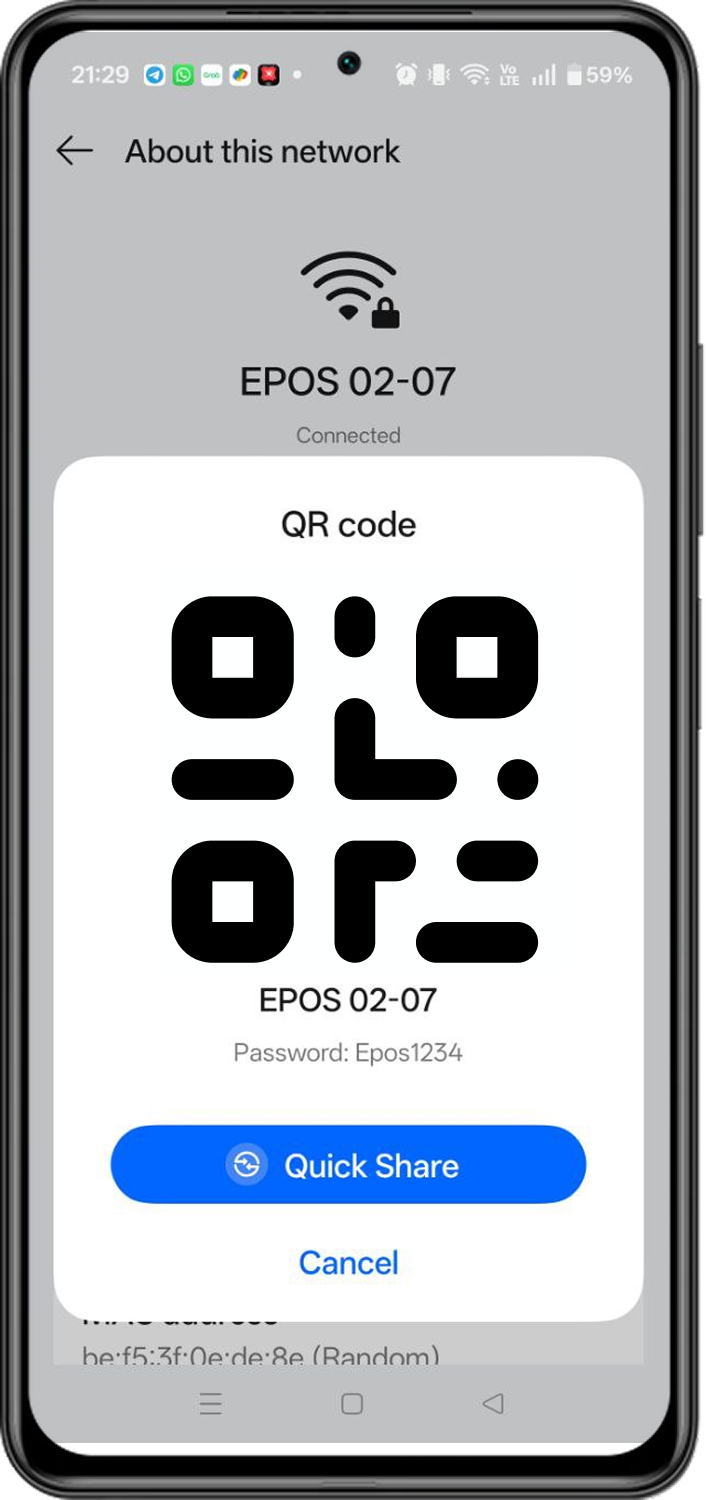
4. Scan with BlueTap
Point BlueTap at the QR code to connect.
 Malaysia
 Global
 Singapore