
 Krystine
 Key Takeaways
- Having three machines means three jobs: a cash register counts cash, a payment terminal moves money, and a POS system runs the whole sale from order to report.
- A cash register keeps no usable sales history, can’t take DuitNow QR or cards on its own, tracks no stock, and does not produce what you need for filing with LHDN.
- A standalone payment terminal and a POS terminal look identical but work differently: a terminal captures payment, a POS captures the payment and everything around it.
- Judge cost over 24 months, not day one. Receipt paper, service calls, MDR on every card and QR payment, and paid updates quietly rack up costs.
- E-invoicing is mandatory for businesses above RM1 million turnover and voluntary below that for now, so plan for the threshold before you hit it.
- For most Malaysian SMEs that carry stock and take digital payments, having an all in one POS system replaces the register and the terminal in one move.

Buying your first counter setup in Malaysia is more confusing than it used to be. Digital payments keep climbing, and LHDN’s e-invoicing rules now reach any business turning over more than RM1 million. That threshold is pushing a lot of small operators to replace their counter setup for the first time. Before any of that matters, a new owner has to answer a simpler question: which machine do you actually need?
Three options sit on the shelf and they are easy to mix up. A cash register, a payment terminal and a POS system all touch a sale, but each does a different job. Getting the cash register vs POS system choice right is what saves you from replacing the wrong one within a year. Here is how the three compare.
Three machines, three different jobs
Strip the branding away and you’re looking at three categories:
- Cash register: a locking drawer with a basic tally. Rings up a sale, prints a receipt, and holds the notes.
- Payment terminal: the card and QR reader. Terminals take the customer’s money and route it to your bank.
- POS system: covers the full loop. It records the order, takes payment, adjusts stock, and files the numbers you read the next morning.
What really separates them is how much of your business each one gets to see. A register sees the cash, a terminal sees the payment, and a POS system sees the sale, the item, the stock and the trend.
What a cash register can’t actually do
A cash register is cheap, quick to learn, and fine for a stall that only takes notes and never opens a report. But it is limited in that it keeps no real sales history, making it difficult to see trends or issues over the months. It can’t take a DuitNow QR or a card by itself, doesn’t track your sales history, and nor can it keep track of your stock. More importantly, it hands you nothing your accountant can use.
That creates a compliance gap. Currently, e-invoicing runs in phases through LHDN’s MyInvois, and businesses under RM1 million in annual turnover sit outside the mandate. While you may not be affected if you are a smaller business, once you cross RM1 million, a plain register leaves you with no clean transaction record to submit.
A payment terminal moves money, and stops there
This is a common confusion, but also the priciest. A standalone payment terminal and a POS terminal look almost the same on the counter, and plenty of merchants use the words as if they mean one thing. They don’t.
The difference between a standalone payment terminal vs POS system in full is simple: a payment terminal only authorises and captures the payment. A POS terminal runs the payment and everything wrapped around it, from the order to the stock count to the report.
This means a terminal will easily take three hundred ringgit off a customer’s card, but won’t tell you which three dishes that money paid for. If you reconcile by hand at close, that missing detail can lead to hours of difference.
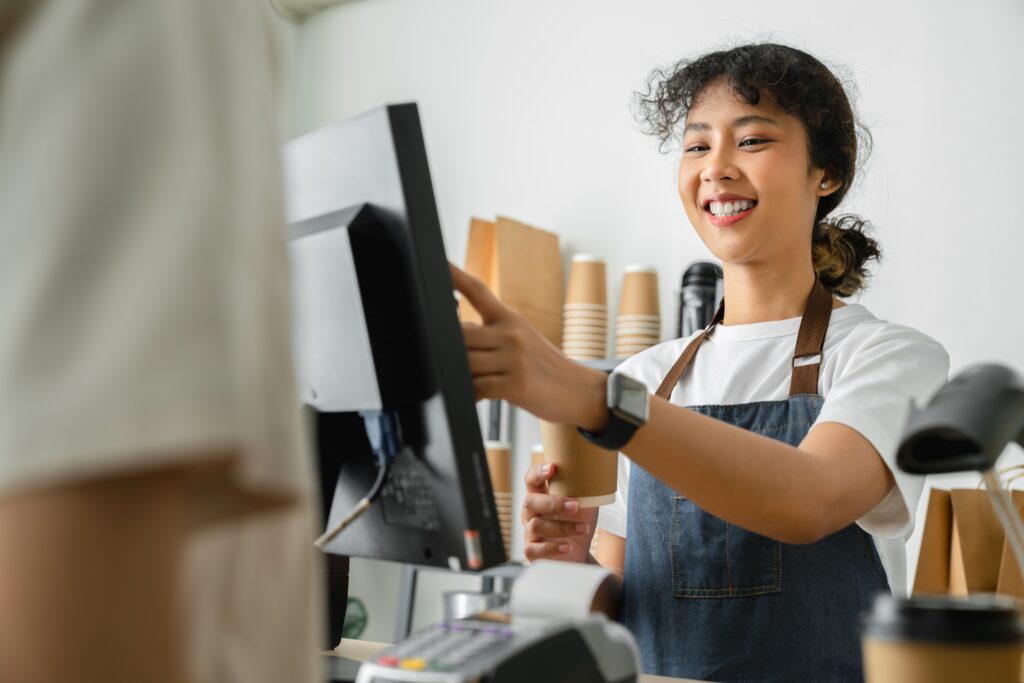
An all-in-one POS system closes the loop that the other two leave open. One device handles multiple key capabilities:
- Order entry
- Accepts payment rails customers reach for (DuitNow QR across all the banking apps, TNG eWallet, GrabPay, cards, and AlipayTap)
- Deducts stock as items sell
- Push the day’s takings to a report you can open on your phone
It also submits to MyInvois once you’re in scope and keeps the validated response on file. For a café juggling dine-in, food delivery, and a weekend pop-up, this single view creates a tangible difference in efficiency for running the shop.
The 24-month cost, and the e-invoice question
When comparing options, the immediate upfront price should not be the sole consideration. A register looks cheapest on day one compared to a POS, but the honest figure is what each costs over two years.
Less noticeable costs include the receipt paper, the service call when the card reader fails, the MDR skimmed off every card and QR payment, and the paid update when a wallet changes its rules. While Bank Negara caps interchange fees under its Payment Card Reform Framework, which keeps card MDR in check, those small costs can still stack up on a register-and-terminal setup.
In comparison, a POS system Malaysia price usually reads as a flatter monthly line that absorbs most of those extras and handles the e-invoice submission for you, which is significant for businesses in the RM1 to 5 million band that’s been in the mandate since January 2026. A POS turns e-invoicing from a monthly chore into something you barely notice, while the other two leave it on your desk.
A five-question test to place yourself
Not sure which category you’re in? Answer these honestly:
- Do you need to know what sold, or only that a sale happened?
- Do customers pay by QR, card or e-wallet, or only cash?
- Do you carry stock that runs out mid-shift?
- Will you cross RM1 million in turnover within three years?
- Are you planning a second outlet?
If your answer is yes to two or more, you’ve outgrown a bare register and a lone terminal. Here’s an easy way to compare:
| What you need it to do | Cash register | Payment terminal | POS system |
| Record what actually sold | No | No | Yes |
| Take card, DuitNow QR, e-wallet | No | Yes | Yes |
| Track stock as it sells | No | No | Yes |
| Give you a daily sales report | No | No | Yes |
| Submit LHDN e-invoices | No | No | Yes |
| Cost shape | Low upfront, blind spots | Per-transaction fees | Flat monthly, full loop |
Starting small is fine, but it’s often more worthwhile to start with something that will keep up with you in the long run.
Get the right machine for the job with EPOS
The three machines above handle three different jobs. A register counts cash, a terminal moves money, and a POS runs the whole shop. There’s no objectively wrong choice, but it is best to pick by what your business needs to see, not by what’s cheapest on the shelf today.
At EPOS, that full loop is what EPOS360 is built for, handling orders, payment across every Malaysian rail, stock and reporting in one POS system. EPOS360 is also LHDN e-invoicing ready the day you cross the threshold. If you’ve been managing with just a register and a card reader, a proper all in one POS system tends to pay for itself in the hours you save at close.
References:
e-Invois. Retrieved on 10 September 2026 from https://www.hasil.gov.my/e-invois/
About MyInvois Portal. Retrieved on 10 September 2026 from https://www.hasil.gov.my/en/e-invoice/myinvois-portal/about-myinvois-portal/
The Payment Card Reform Framework. Retrieved on 10 September 2026 from https://www.bnm.gov.my/-/the-payment-card-reform-framework
8.44 Billion Transactions Processed in 2025 as Digital Payments Become Malaysians’ Preferred Way to Pay. Retrieved on 10 September 2026 from https://www.paynet.my/about-us/media-centre/press-release/8-44-billion-transactions-processed-in-2025-as-digital-payments-become-malaysians-preferred-way-to-pay.html
Frequently Asked Questions About POS Systems, Cash Registers and Payment Terminals
Is a POS system the same as a cash register?
No. A cash register rings up a sale, prints a receipt and holds cash. A POS system does that and records the order, takes card and QR payments, tracks stock, files LHDN e-invoices, and gives you sales reports you can read from anywhere. Same counter, but very different reach.
What is the difference between a payment terminal and a POS terminal?
A payment terminal authorises and captures a payment, then stops. A POS terminal runs the payment plus the order, the stock deduction and the report. In short, a payment terminal tells you money arrived; a POS terminal tells you what the money was for.
What are the disadvantages of a cash register?
A cash register keeps no usable sales history, can’t accept DuitNow QR or cards on its own, tracks no stock, and produces no record you can submit for LHDN e-invoicing. It’s fine for a cash-only stall, but it does not provide anything you’d want to analyse or file.
What is the best POS system for small businesses in Malaysia?
The right pick depends on outlet count, transaction volume and whether you need delivery-aggregator handling. Look for LHDN e-invoice readiness via MyInvois, native DuitNow QR, TNG eWallet and GrabPay support, transparent MDR per rail, and real support in your state. Shortlist two or three and compare total cost over three years, not the headline monthly figure.
Curious what a full setup costs against your current register and terminal? Book a live EPOS360 demo and get a clear POS system Malaysia price mapped to how your counter runs.


 Malaysia
 Global
 Singapore