
 Primal SEO Agency
 Key Takeaways
- Cloud POS stores your data on vendor-run servers; on-premise stores everything on the box in your shop. That shift affects cost, disaster recovery, updates, and multi-outlet expansion.
- Over three years, a cloud subscription often lands within 10 to 20 percent of an on-premise setup once you count replacement hardware, technician calls and paid update fees.
- A stolen or damaged cloud terminal restores in hours from vendor servers. On-premise recovery depends entirely on your last manual backup, which many operators discover has been failing silently.
- LHDN e-Invoice updates land automatically on cloud via MyInvois. On-premise setups wait for the reseller to ship a patch, often with additional fees or delays.
- Opening a second outlet takes an afternoon on cloud. On-premise requires a second licence, a technician, manual data migration, and a week of reconciliation.
- For most Malaysian SMEs, a cloud-based POS system is now the default. On-premise still fits merchants with unreliable connectivity or very high transaction volumes on razor-thin margins.

Malaysia’s SME POS market is shifting fast. Many legacy on-premise systems bought outright a decade ago still sit at counters across the country, while cloud-based POS platforms have taken over the new-install market. PayNet’s 2025 data recorded 8.44 billion digital payment transactions flowing through Malaysian merchants, with both system categories still handling the load.
For merchants replacing an ageing terminal or reviewing a system that has grown expensive to maintain, the differences between a cloud POS system for restaurant and legacy systems are worth understanding before committing to another three-year contract.
What changes when you go cloud
A cloud-based system stores your sales data, menu, inventory and reports on servers run by a vendor, with your terminal connecting to them over the internet. A legacy on-premise system, on the other hand, stores everything on the box in your shop.
Where the data sits is significant as it determines who can access it, who backs it up, who pushes updates, and what happens the day the terminal is lost or damaged. It also determines how audit-ready you are when LHDN or your accountant requests a full transaction history spanning two years back.
Cost over three years: a worked ringgit example
The headline monthly price alone doesn’t reflect the actual cost of running a POS system. Rather, the total cost of ownership over 36 months gives a truer picture.
Here’s a rough breakdown for a single-outlet café doing 200 covers a day:
| Line item | Cloud (subscription) | On-premise (owned) |
| Hardware (terminal + printer) | RM 2,500 one-off or bundled | RM 4,500 upfront |
| Software (36 months) | RM 200/mo × 36 = RM 7,200 | RM 3,500 licence + RM 800/yr support |
| Updates (LHDN, wallets, etc.) | Included | RM 400–1,200 per major update |
| On-site technician calls | Usually included, remote-first | RM 150–300 per visit |
| Hardware replacement in yr 3 | Covered under most plans | You pay |
Once the smaller line items are added up, the gap between the two models narrows considerably. This is also before factoring in any unexpected hardware or software disruptions.
Comparing data recovery when the terminal is lost, stolen or damaged
Recovery is where the cost gap between the two models widens sharply. A cloud POS terminal stolen from your counter overnight is a limited inconvenience. You order a replacement, sign into the same account, and every transaction, menu item, staff login and settled payment restores exactly where it was left. Trading typically resumes the next day.
In contrast, a stolen on-premise system carries higher stakes. Your sales history, customer records, inventory counts and any unfiled e-invoice submissions sit on the drive that has walked out the door, leaving only your last manual backup to work from. Worse still, many operators discover late that the backup schedule they assumed was running had stopped months prior.
Fire, flood, spilt drinks and hardware failure fall into the same recovery category. A cloud-based POS system reduces recovery to an afternoon of admin, while on-premise setups often require a full system rebuild.
Software updates, LHDN e-Invoice phases and who pushes them
Malaysia’s e-Invoice mandate rolls through 2026 in phases, with smaller businesses in the final wave and full implementation coordinated by LHDN via the MyInvois system.
- On a cloud POS system in Malaysia, the update lands overnight and the first invoice submits automatically the next morning.
- On a legacy setup, updates depend on the reseller packaging and shipping a patch, which may come with additional charges or delays.
The same pattern repeats each time a new wallet goes live, a bank changes settlement timing, or DuitNow QR fee rules shift. Cloud vendors deploy the change directly, while on-premise vendors typically issue a separate invoice for the work.
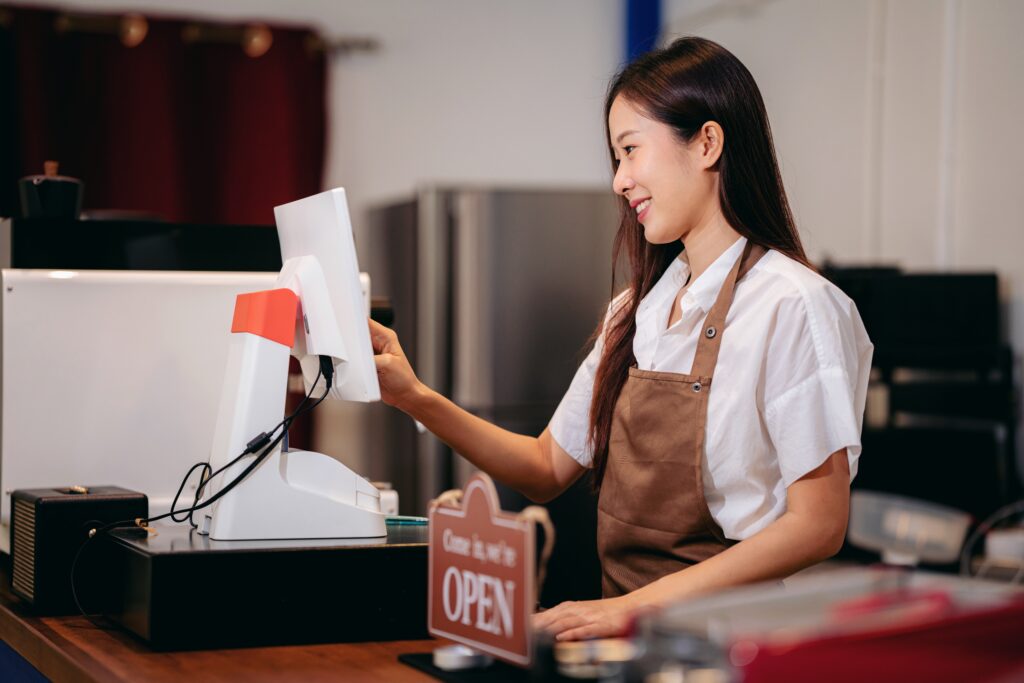
Opening a second outlet, and other everyday remote moments
Opening a second outlet is a useful test case for cloud POS. On cloud, you provision a new terminal, sign into the same account, and yesterday’s menu, staff logins and pricing carry over instantly. The setup takes an afternoon.
On-premise setups require buying a second licence, arranging a technician, migrating data manually, then reconciling differences over the following week. This reflects how the architecture was built to work.
Beyond outlet expansion, cloud POS supports everyday remote flexibility. As a merchant, you can check the day’s takings from your phone after closing up, fix a promo remotely when a staff member calls at 9pm, or switch a menu item off while away on holiday. These moments are difficult to replicate on on-premise setups.
When on-premise is still the right answer
Although advantageous in many ways, cloud setups are not the right pick for every merchant. Two situations still favour on-premise:
- Genuinely unreliable connectivity: a shop or stall on unreliable 4G, where the connection drops for extended periods, struggles with cloud-dependent operations. Cloud offline modes vary in quality and cannot fully substitute for a stable link.
- Very high transaction volumes on razor-thin margins: a busy hawker-centre stall processing thousands of transactions daily may prefer to own the hardware outright rather than carry a monthly subscription.
Outside these two cases, though, a cloud POS system for restaurants is the sensible default. Where connectivity or volume genuinely calls for on-premise, sticking with that setup is more preferable.
Decision table: six criteria scored side by side
| Criterion | Cloud POS | On-premise POS |
| 3-year total cost (single outlet) | Predictable, subscription-based | Lower upfront, higher variable spend |
| Data recovery if terminal is lost or damaged | Restored in hours | Depends on last manual backup |
| LHDN e-Invoice updates | Pushed automatically | Reseller-dependent, often chargeable |
| Remote access to reports | Native, any device | Not supported |
| Opening a second outlet | Provisioned in an afternoon | New licence, technician, data migration |
| Performance on unreliable internet | Depends on offline-mode quality | Fully local, unaffected |
Pick a cloud platform built for how Malaysian SMEs operate
For most Malaysian F&B and retail SMEs today, a cloud POS system in Malaysia is the sensible long-term choice. While on-premise setups still have their merits for some businesses, a cloud one has more advantages most owners will benefit from. What matters is picking one designed for how your shop runs day to day.
At EPOS, our EPOS360 platform is built cloud-native for Malaysian operators, with LHDN e-Invoice, DuitNow QR, TNG eWallet, GrabFood and foodpanda integration wired in from day one. Our regional group backing keeps the roadmap moving, so the platform continues shipping updates well into year three and beyond. With us, you get a system that grows with your business.
Interested to see what a proper cloud-based POS system looks like on your counter? Book a live EPOS360 demo and we’ll show you how a quality POS system in Malaysia makes running a Malaysian F&B or retail operation simpler from day one.
References:
e-Invois. Retrieved August 18, 2026, from https://www.hasil.gov.my/e-invois/
About MyInvois Portal. Retrieved August 18, 2026, from https://www.hasil.gov.my/en/e-invoice/myinvois-portal/about-myinvois-portal/
8.44 Billion Transactions Processed in 2025 as Digital Payments Become Malaysians’ Preferred Way to Pay. Retrieved August 18, 2026, from https://www.paynet.my/about-us/media-centre/press-release/8-44-billion-transactions-processed-in-2025-as-digital-payments-become-malaysians-preferred-way-to-pay.html
Cloud Technology Risk Assessment Guideline. Retrieved August 18, 2026, from https://www.bnm.gov.my/documents/20124/938039/ED_CTRAG_20220603.pdf
Business Digitalisation Initiative. Retrieved August 18, 2026, from https://www.mdec.my/bdi
Frequently Asked Questions About Cloud POS in Malaysia
What is a cloud-based system in POS terms?
A cloud-based POS system stores your sales data, menu, inventory and reports on the vendor’s servers, not on the terminal in your shop. Your device connects over the internet, allowing for remote access, automatic updates, and easier multi-outlet management, in exchange for a monthly subscription.
What is the difference between cloud POS and legacy POS?
The main difference is where your data sits. A cloud POS stores your sales data, menu, inventory and reports on vendor-run servers, with your terminal connecting over the internet. A legacy on-premise POS stores everything on the box in your shop. This affects cost predictability, disaster recovery if the terminal fails, LHDN e-Invoice update handling, and how quickly you can open a second outlet. For most Malaysian SMEs, cloud has the edge on all four dimensions.
What is the best cloud POS system in Malaysia for F&B?
A: The right pick depends on outlet count, transaction volume and whether you need integrated delivery-aggregator handling. Look for LHDN e-Invoice readiness, native support for DuitNow QR and TNG eWallet, and same-day support coverage in your state. Shortlist two or three, then compare the 3-year total cost.
What happens to my data on a cloud POS system for restaurant use if the terminal is stolen?
A: Your data remains safe. Because sales history, menu and staff logins sit on the vendor’s servers, a replacement terminal signs into the same account and picks up where the last one left off. As for on-premise setups, the answer depends entirely on how recently you backed up the drive.
Is cloud POS cheaper than on-premise over three years?
A: Often within 10 to 20 percent, once you count hardware replacement, technician callouts and paid update fees on the on-premise side. Cloud also removes the resale-market risk when your original supplier closes shop.



 Malaysia
 Global
 Singapore