 Malaysia
 Global
 Singapore
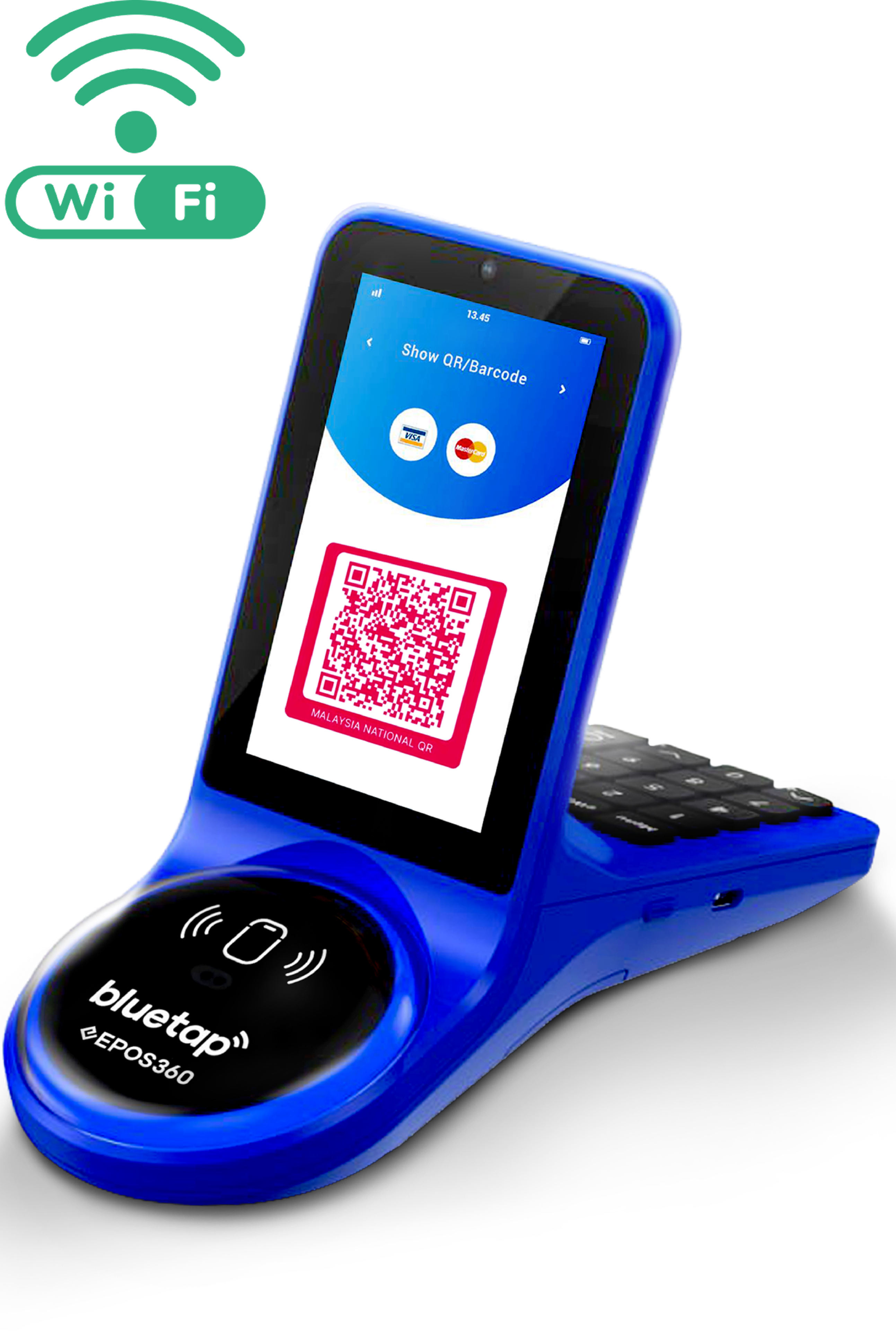
EPOS360 BlueTap
Merchant Onboarding Guide



Make sure you have the following details ready before starting
your merchant registration
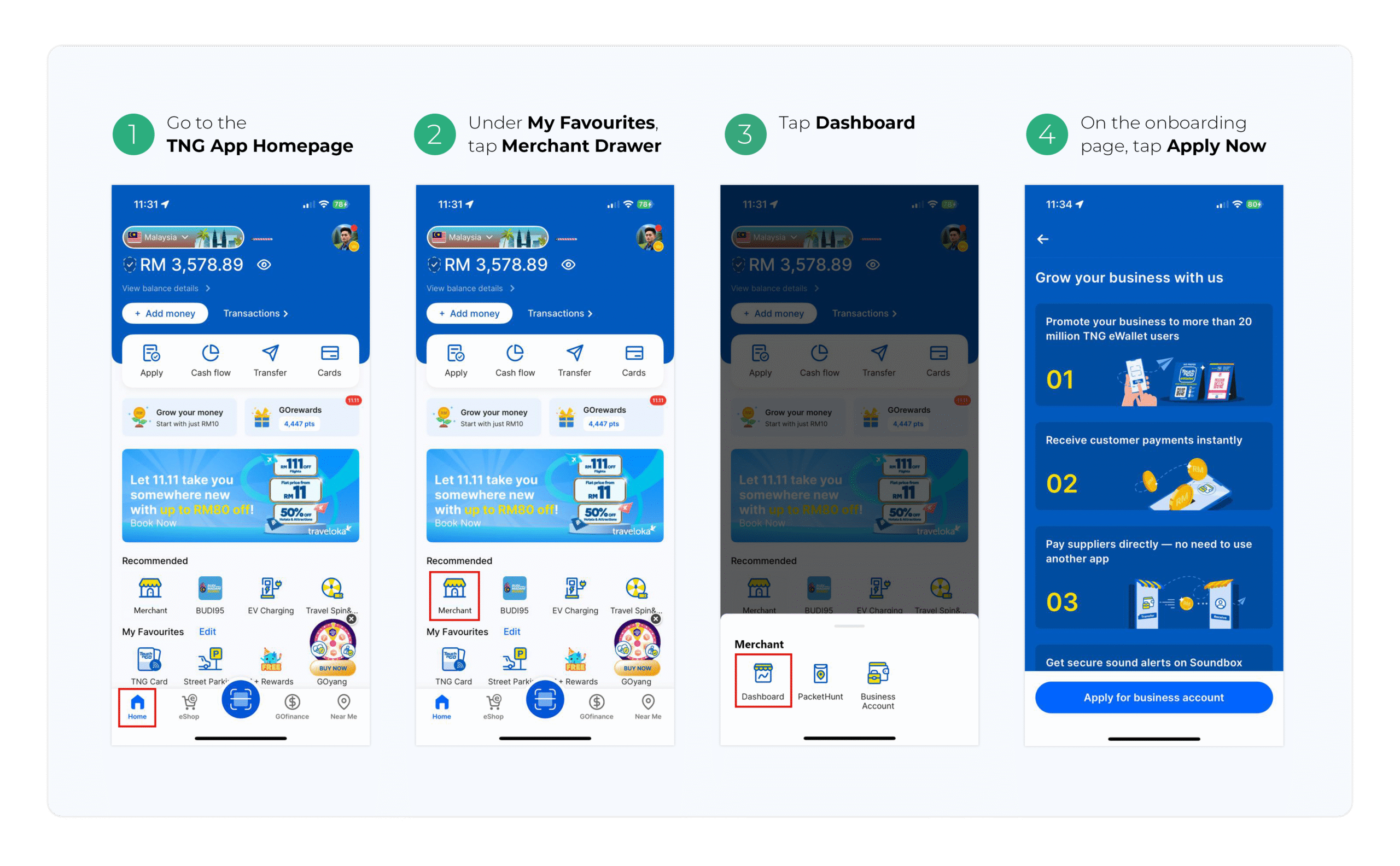
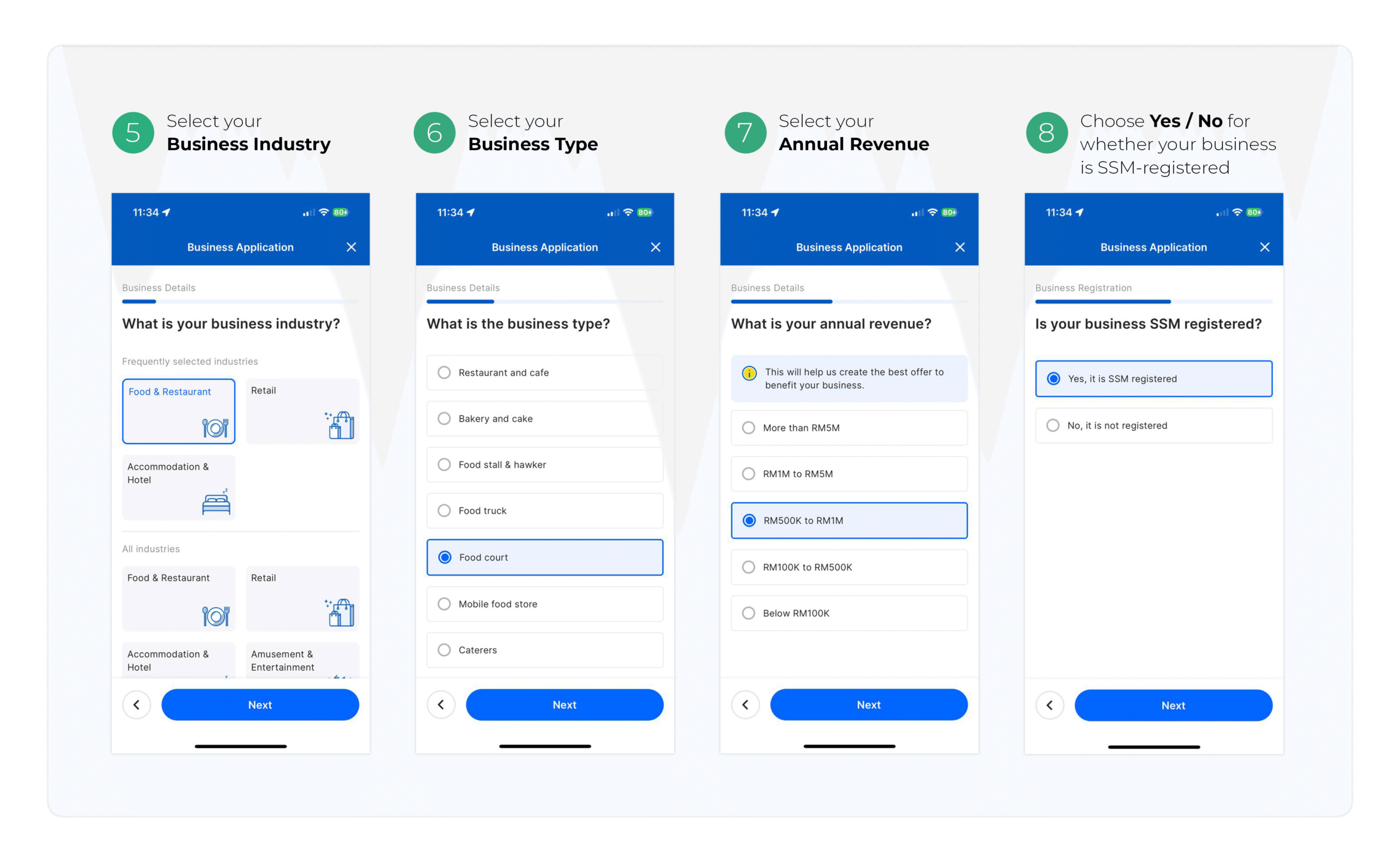
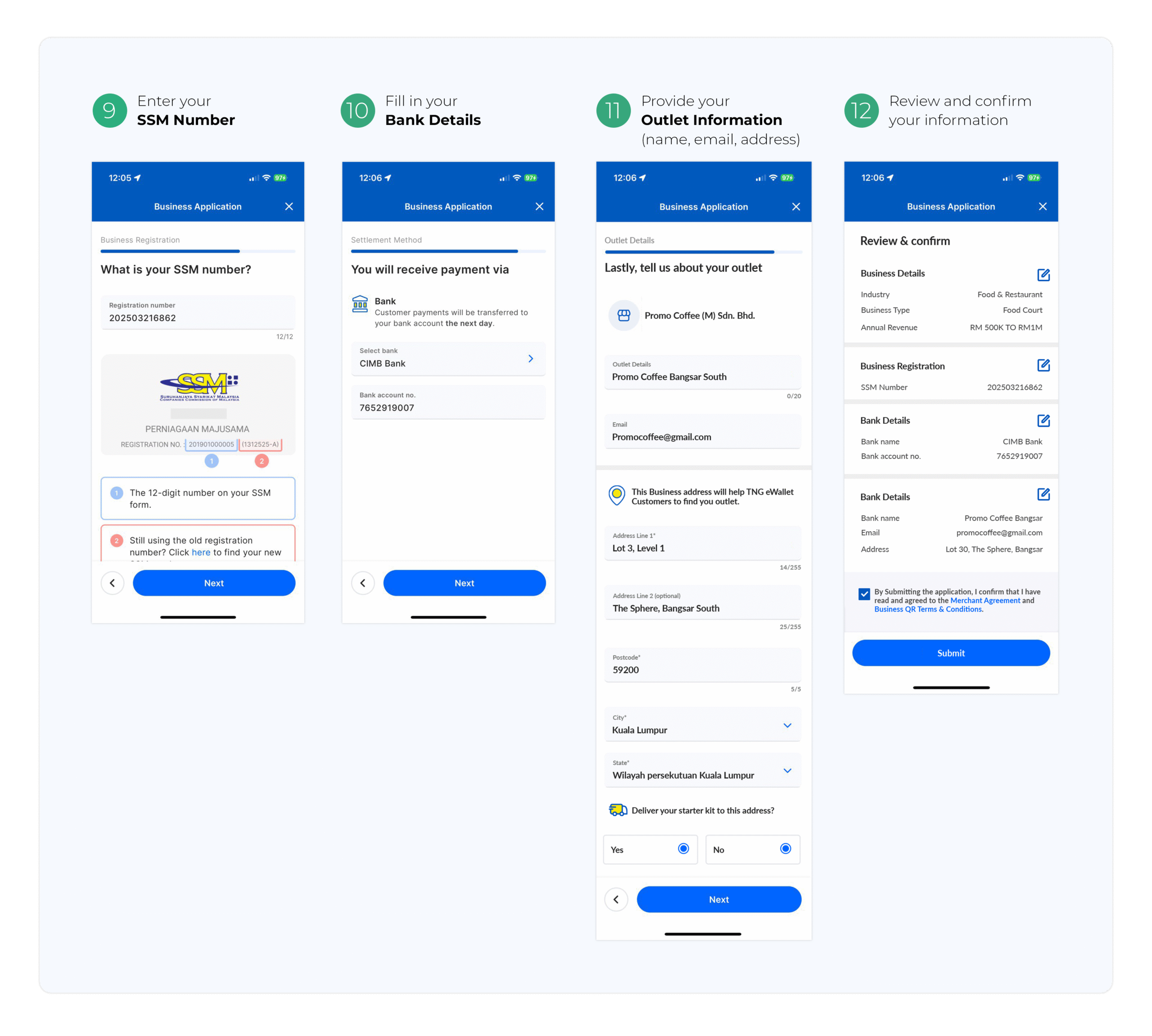
Follow these steps to register as a merchant
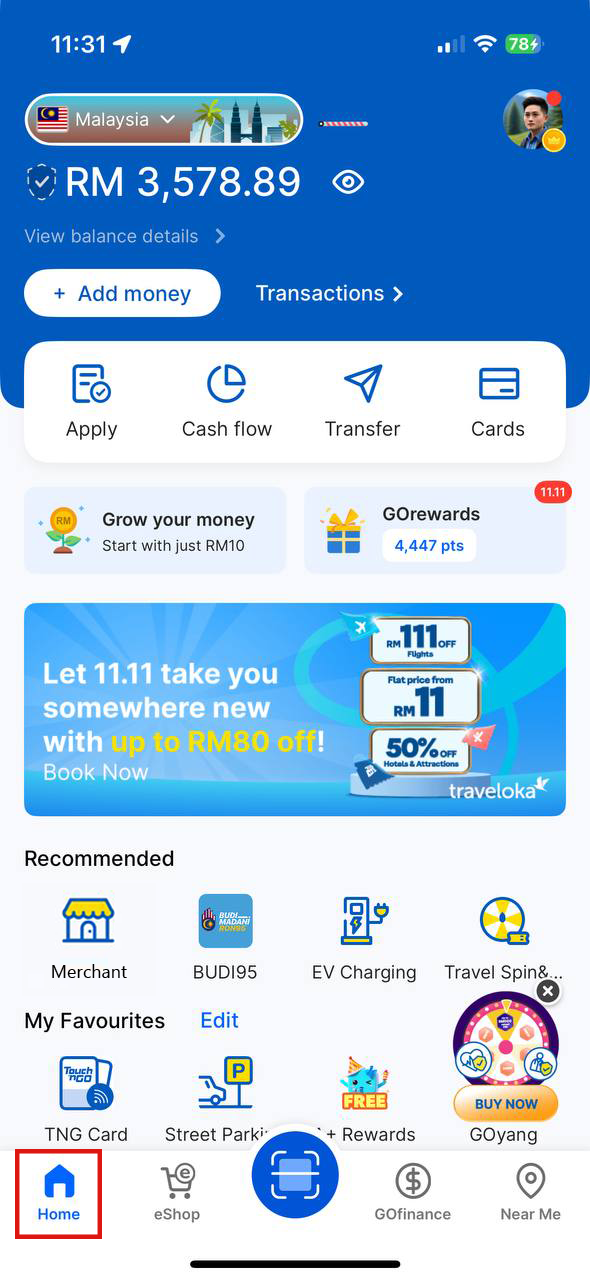
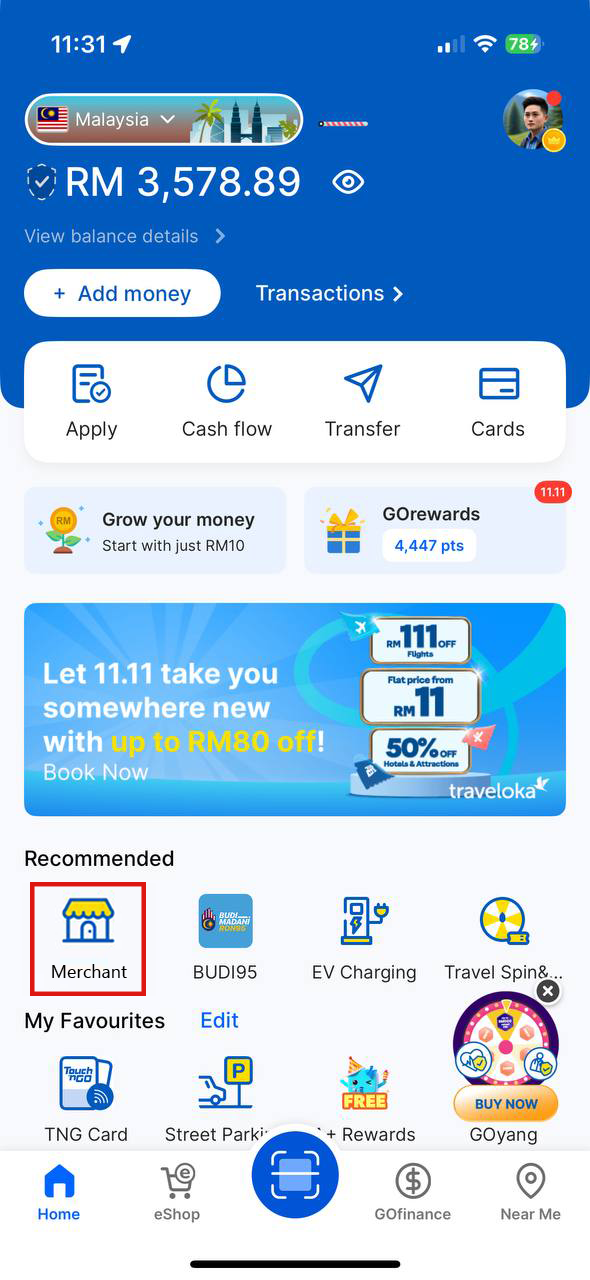
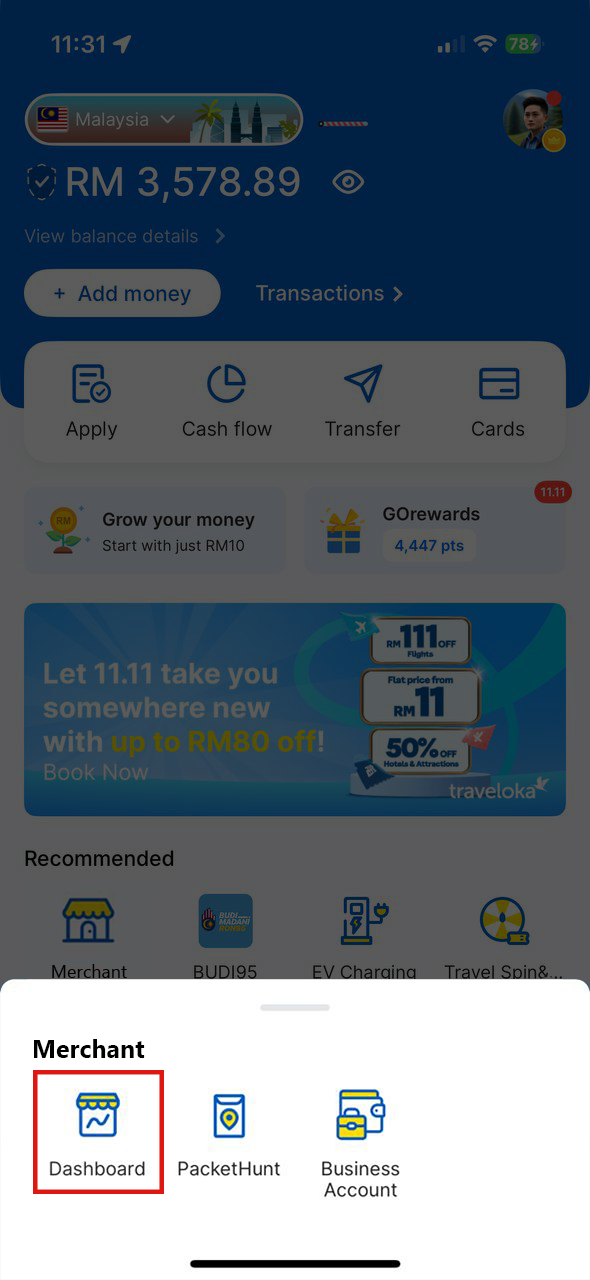
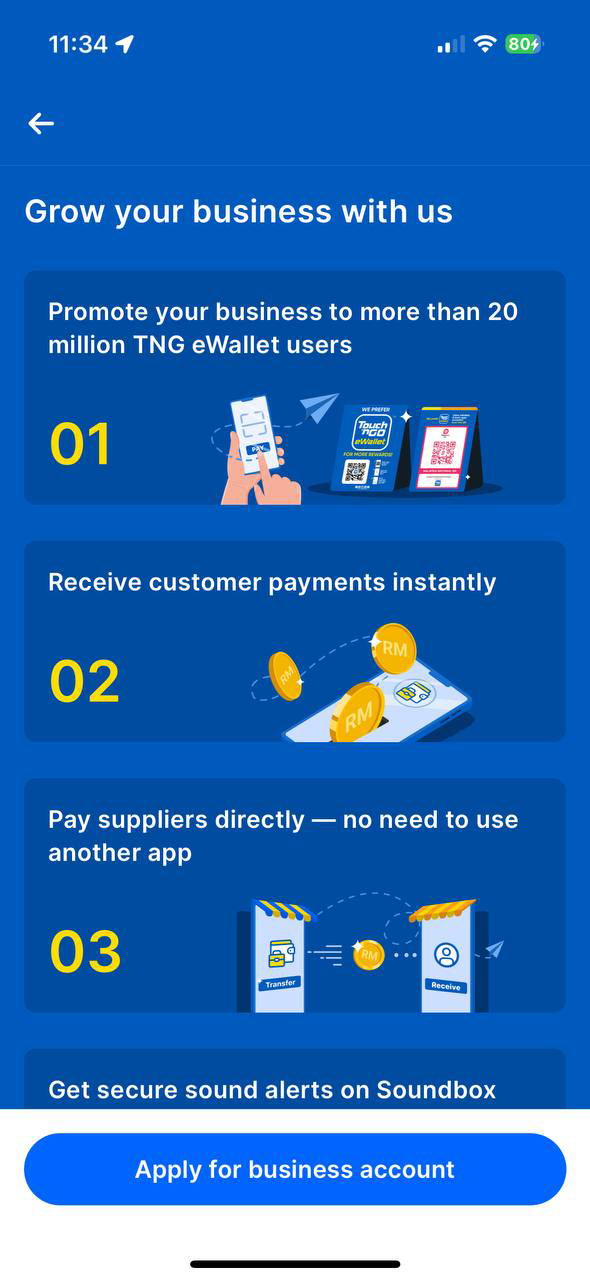
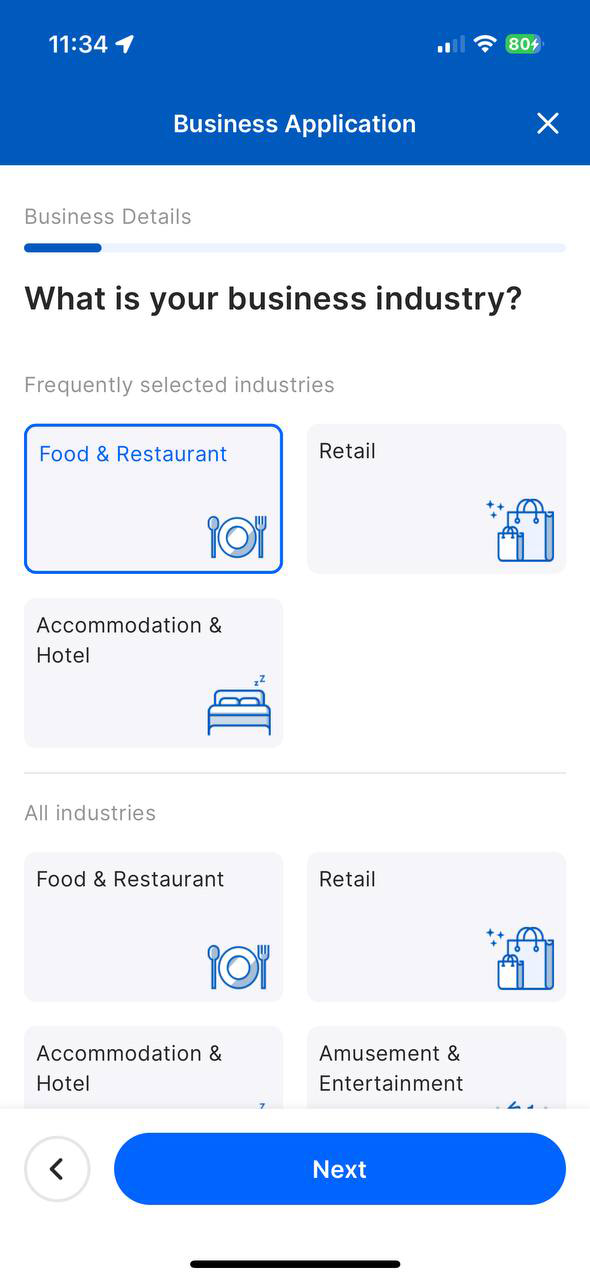
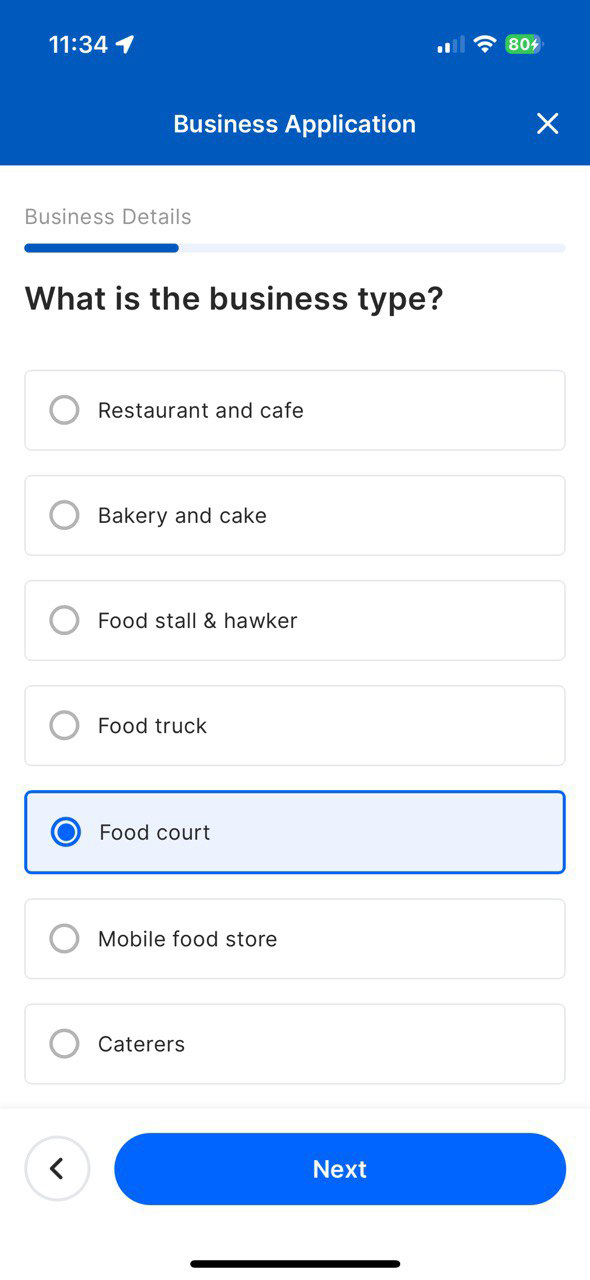
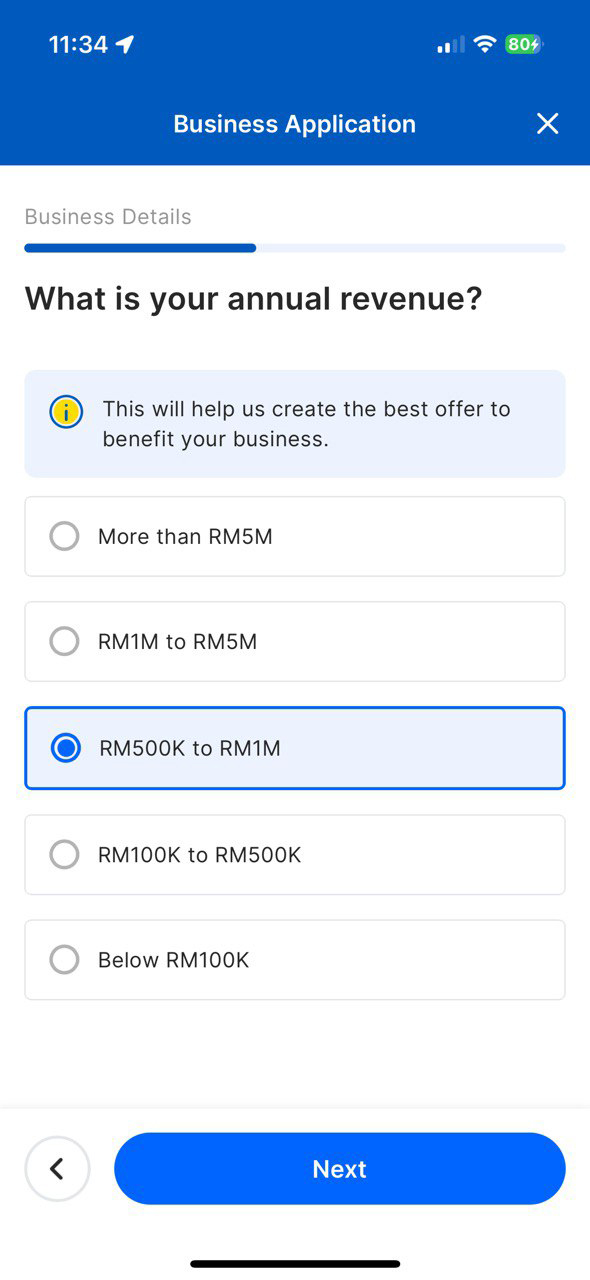
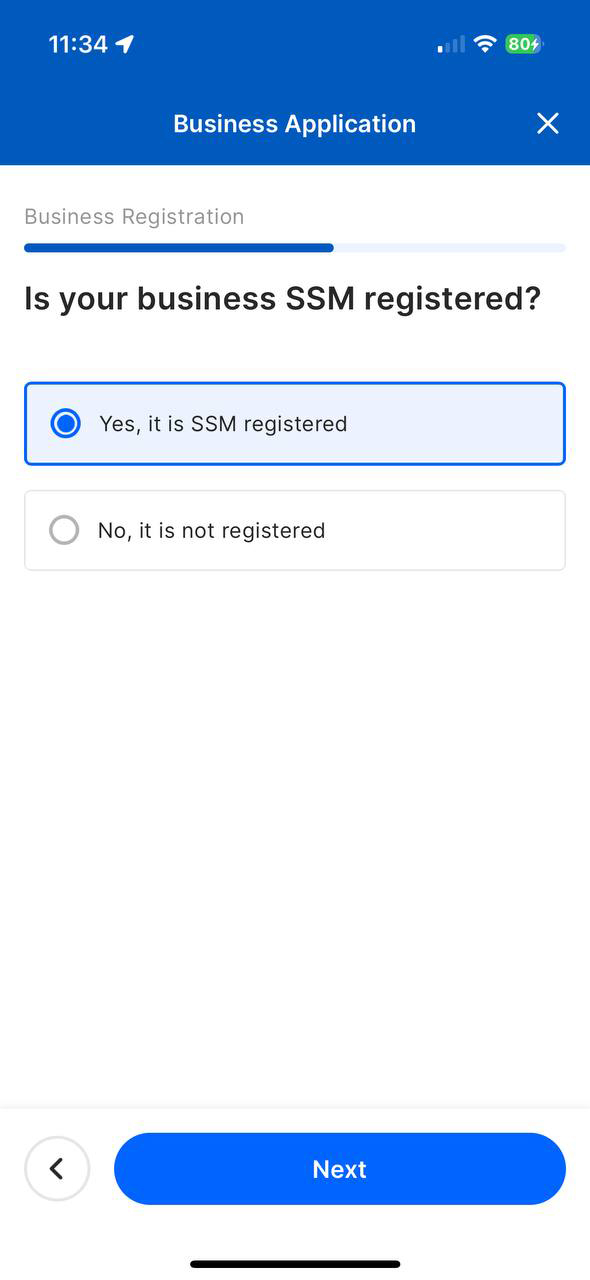
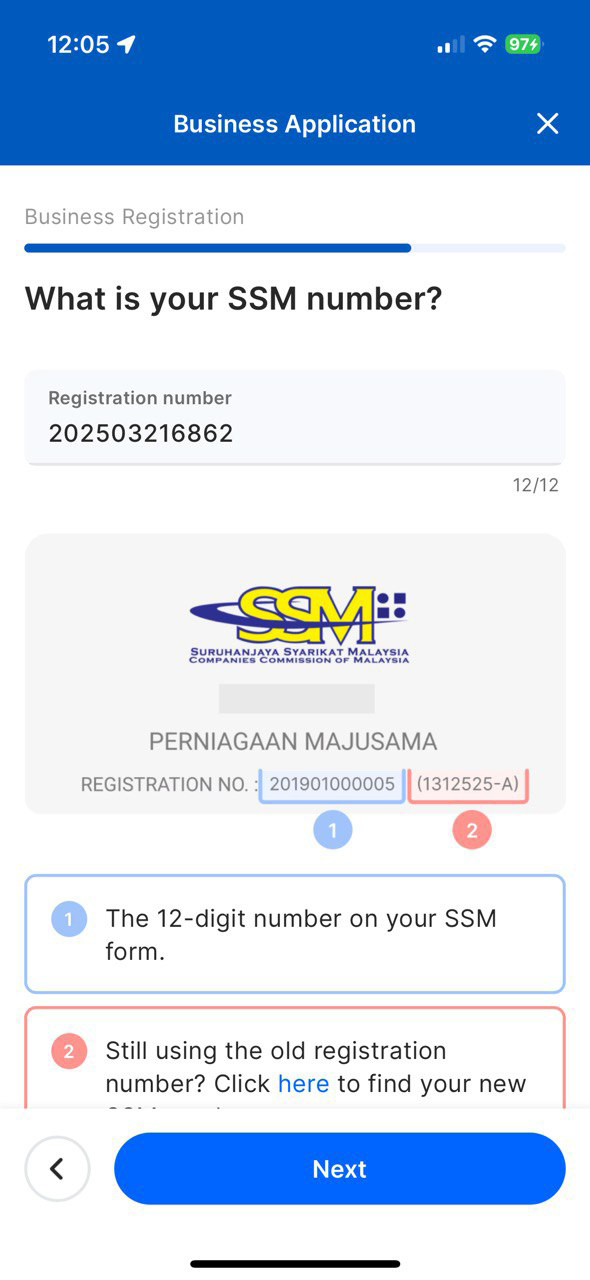
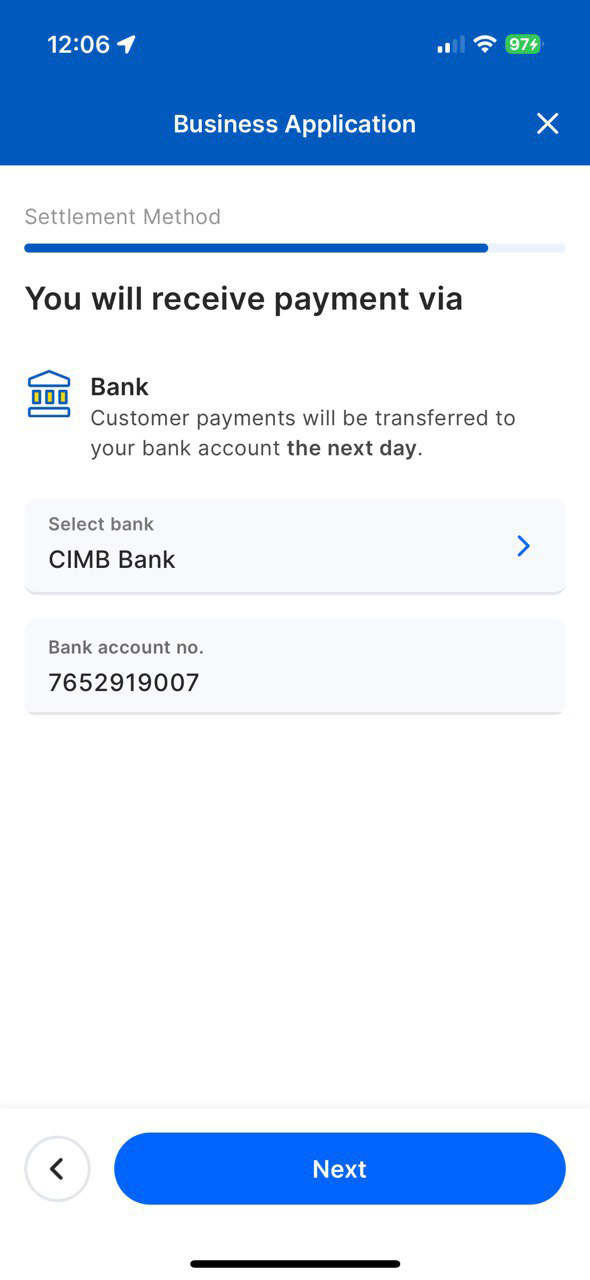
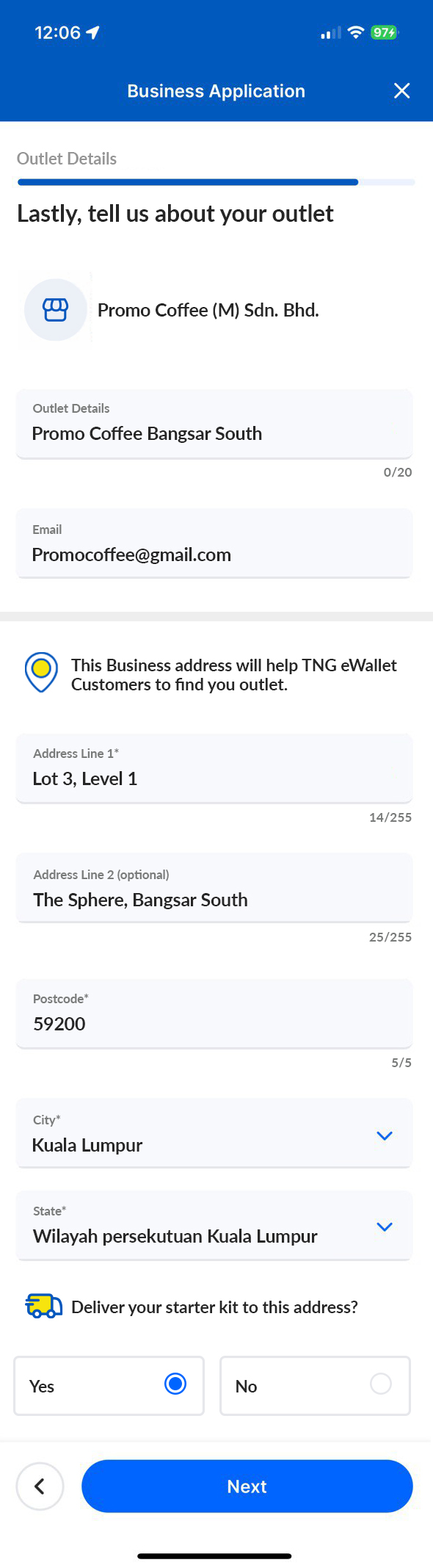
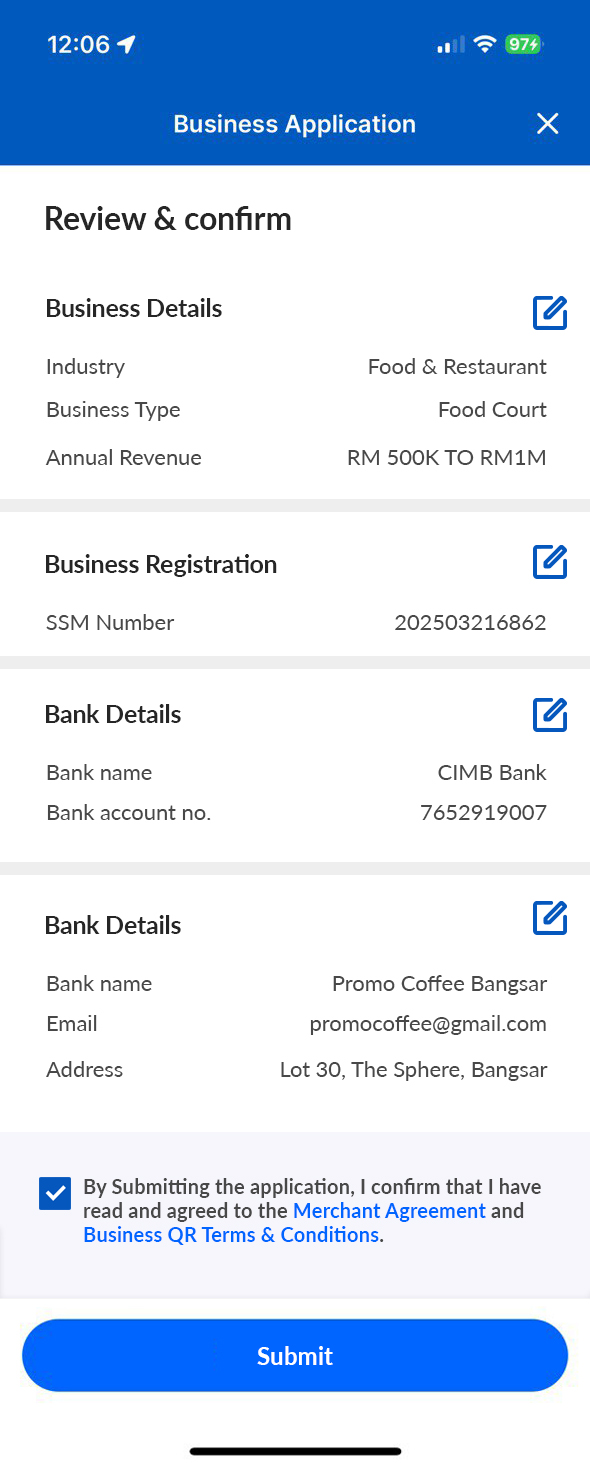
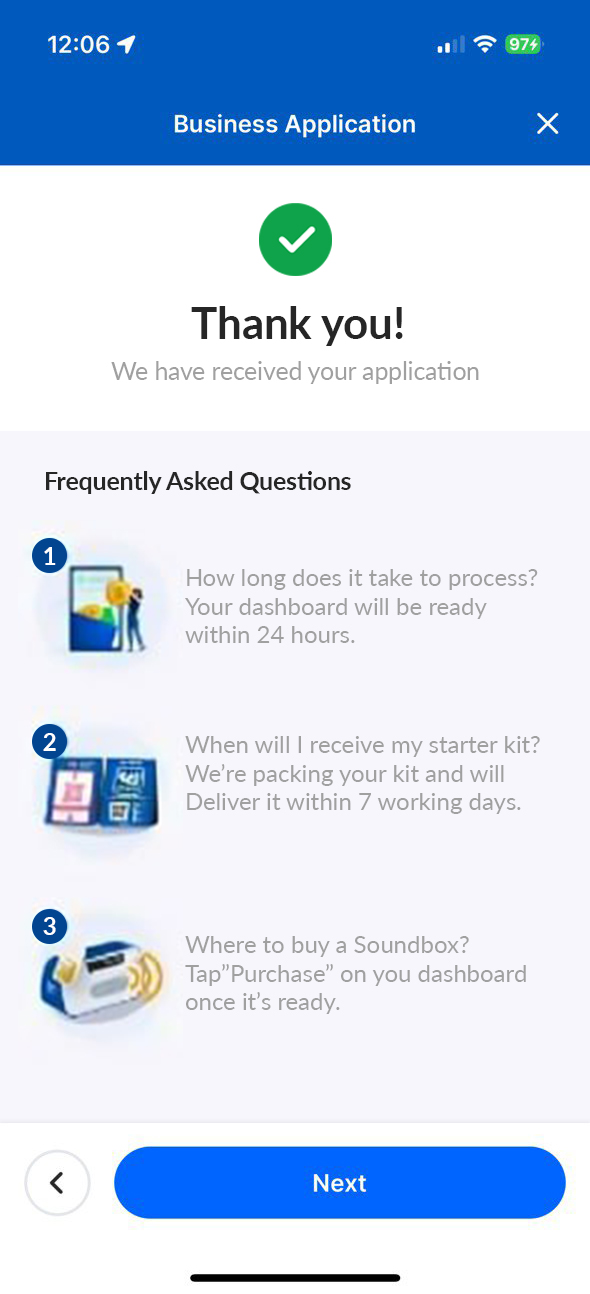
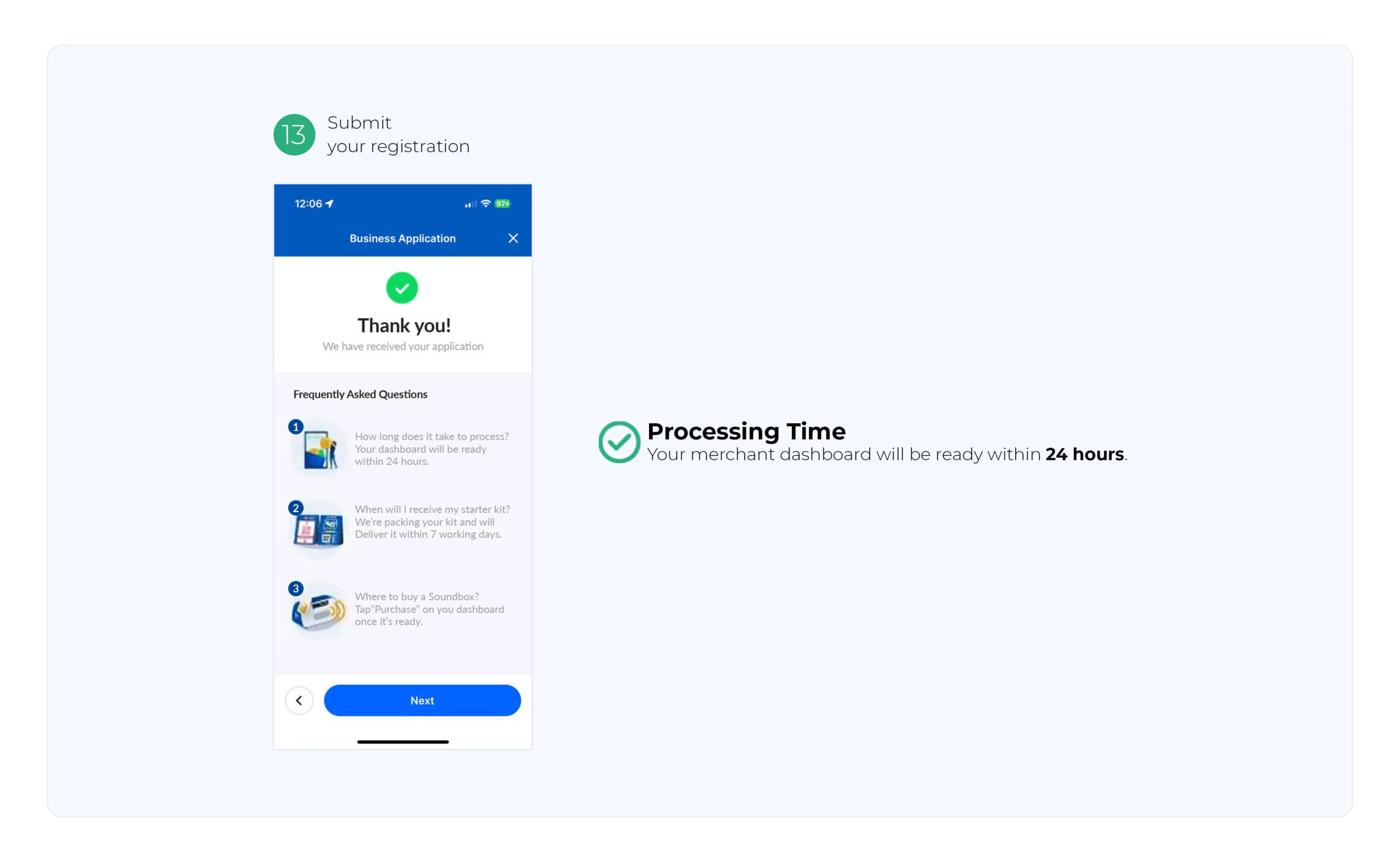
✅ Processing Time: Your merchant dashboard will be ready within 24 hours
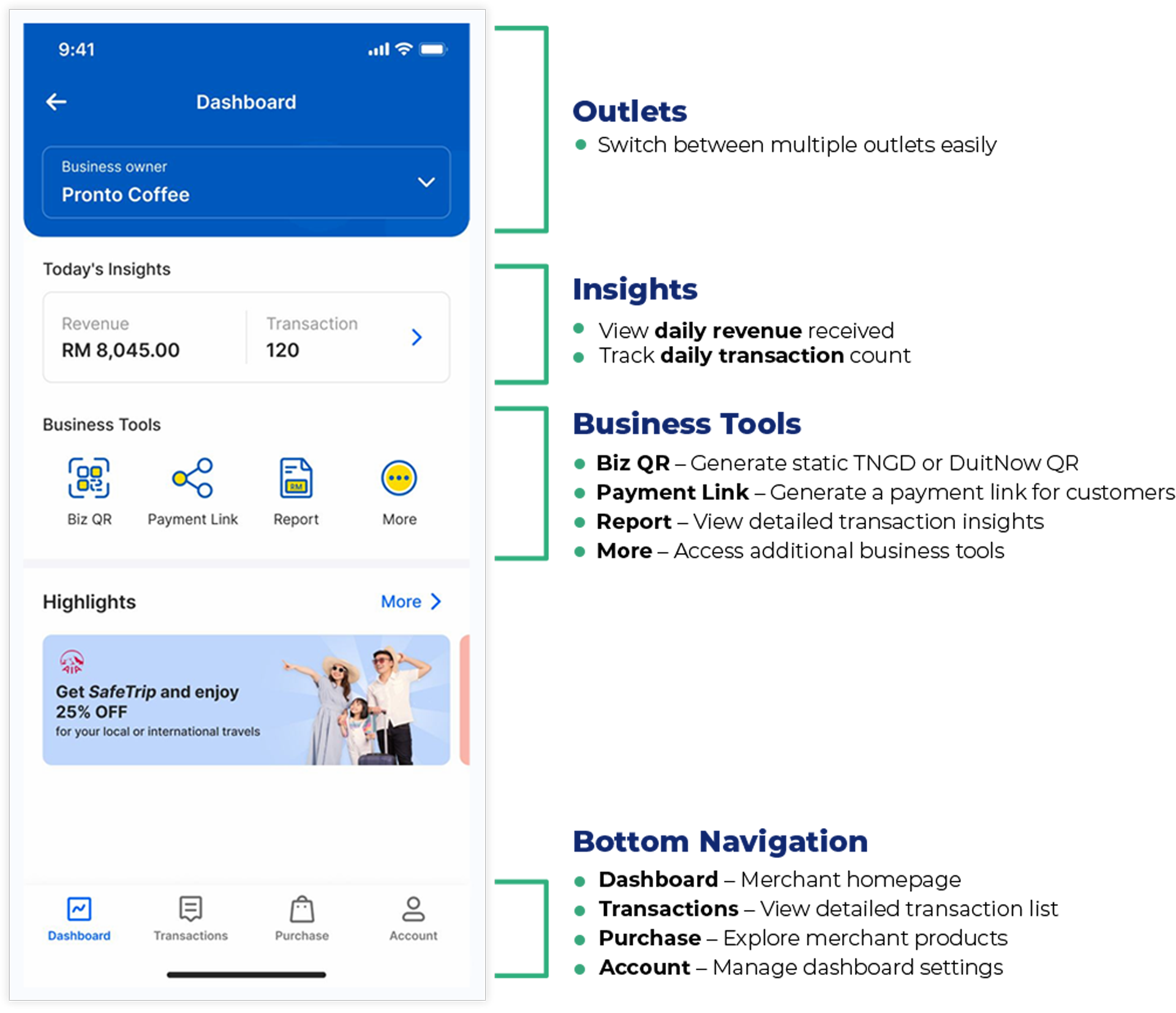
Switch between multiple outlets easily
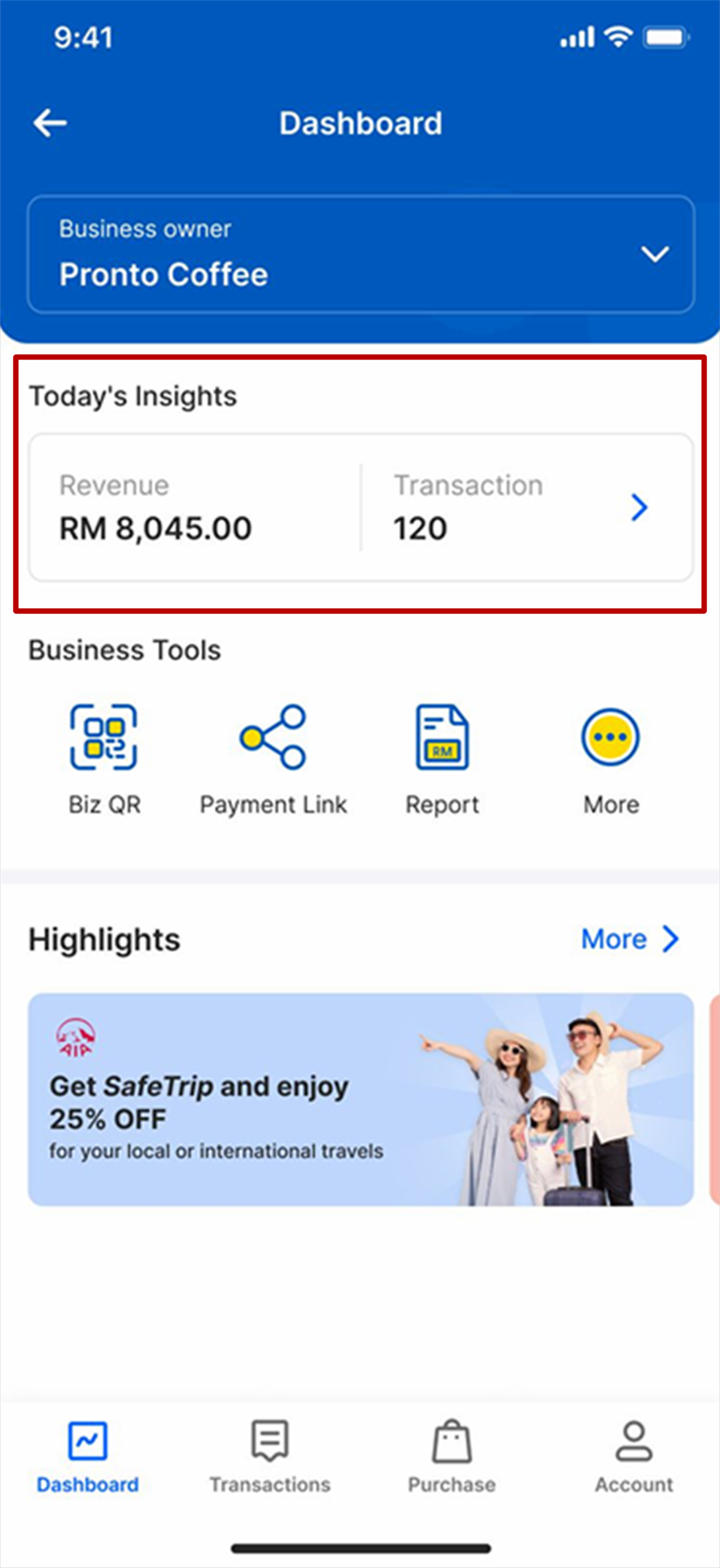
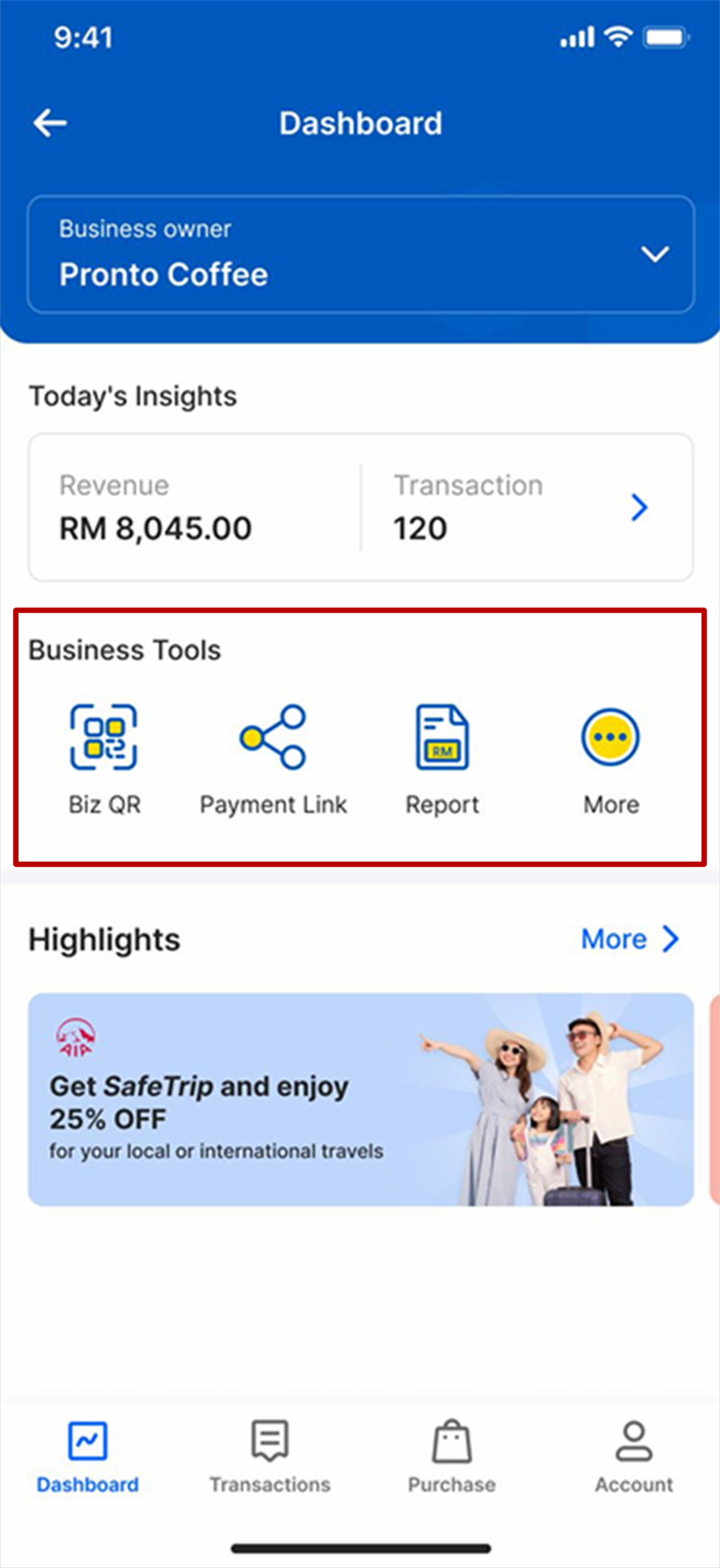
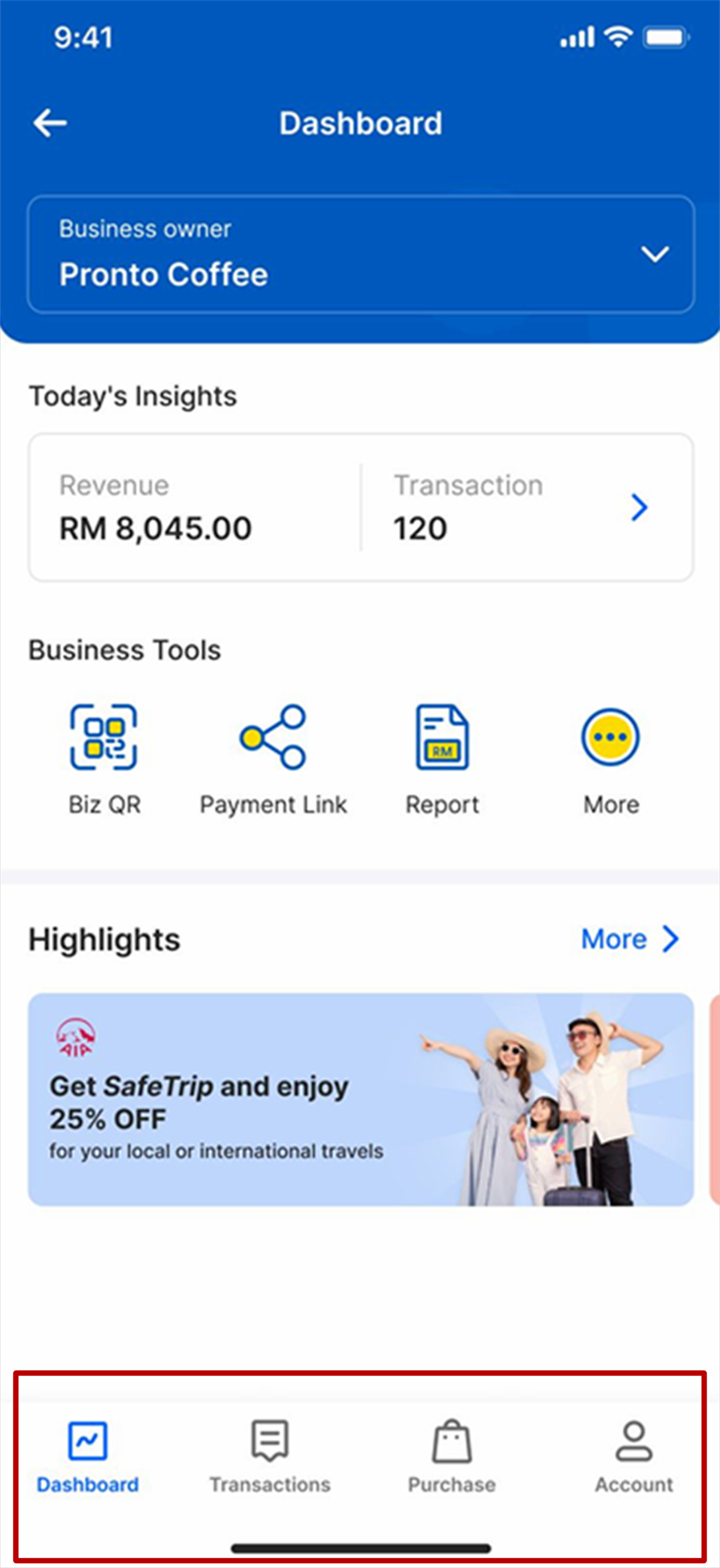
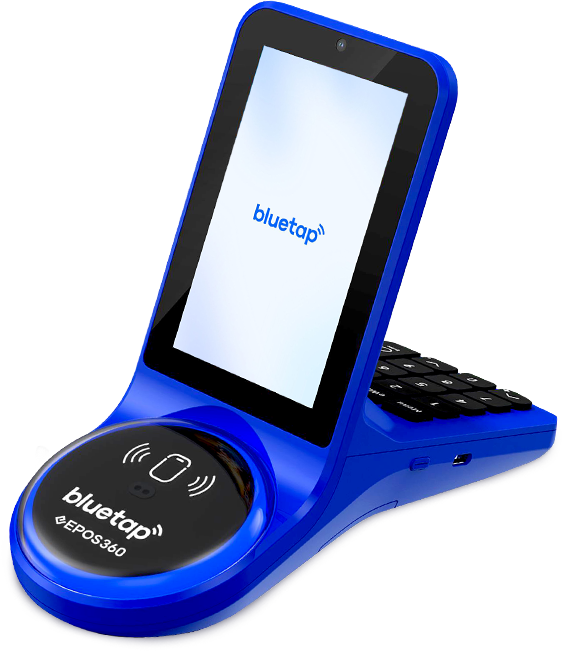

Android Devices

Open the Settings app on your phone and tap Network
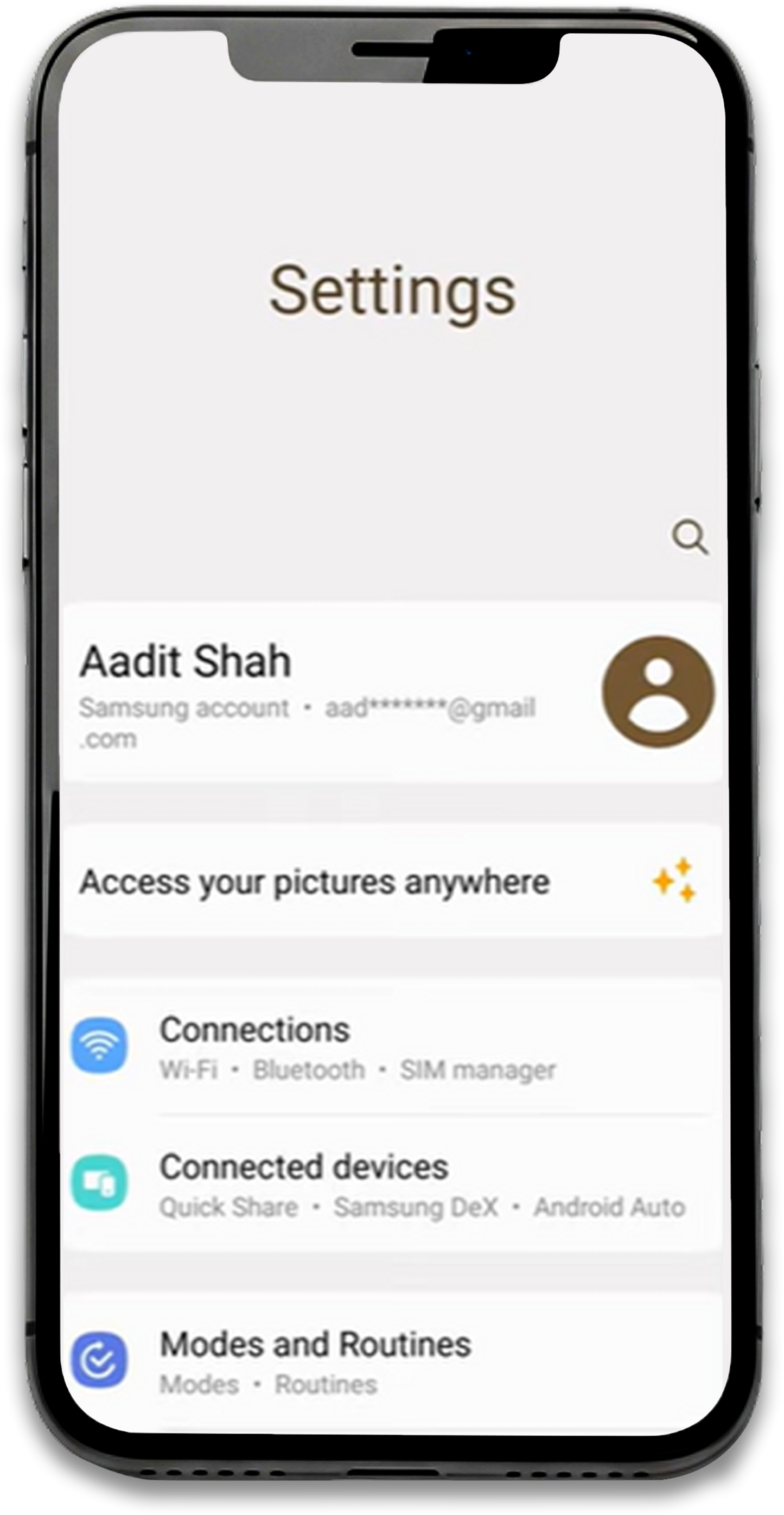

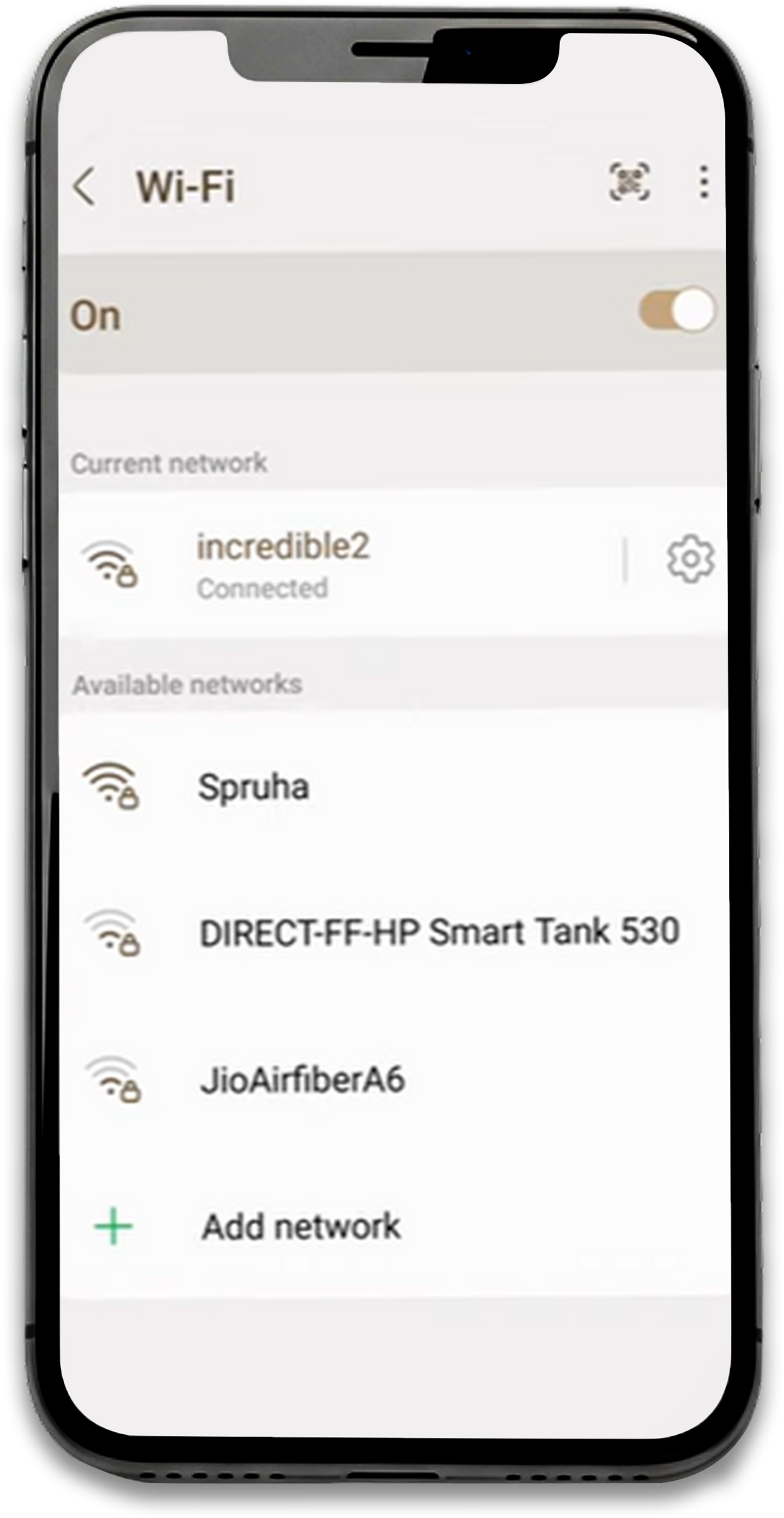
Select Wi-Fi
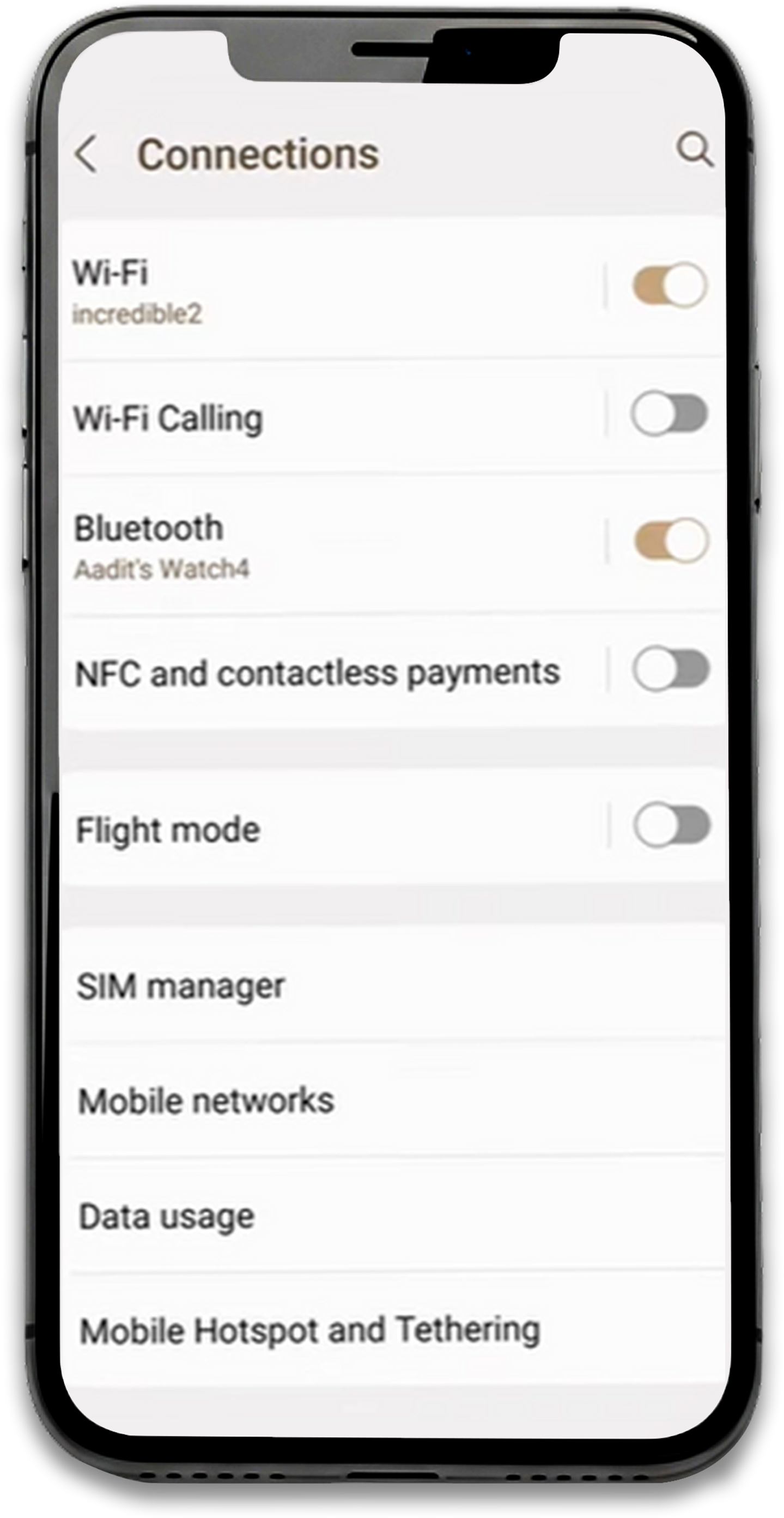

Tap the ⚙️ (Gear icon) next to the connected Wi-Fi network

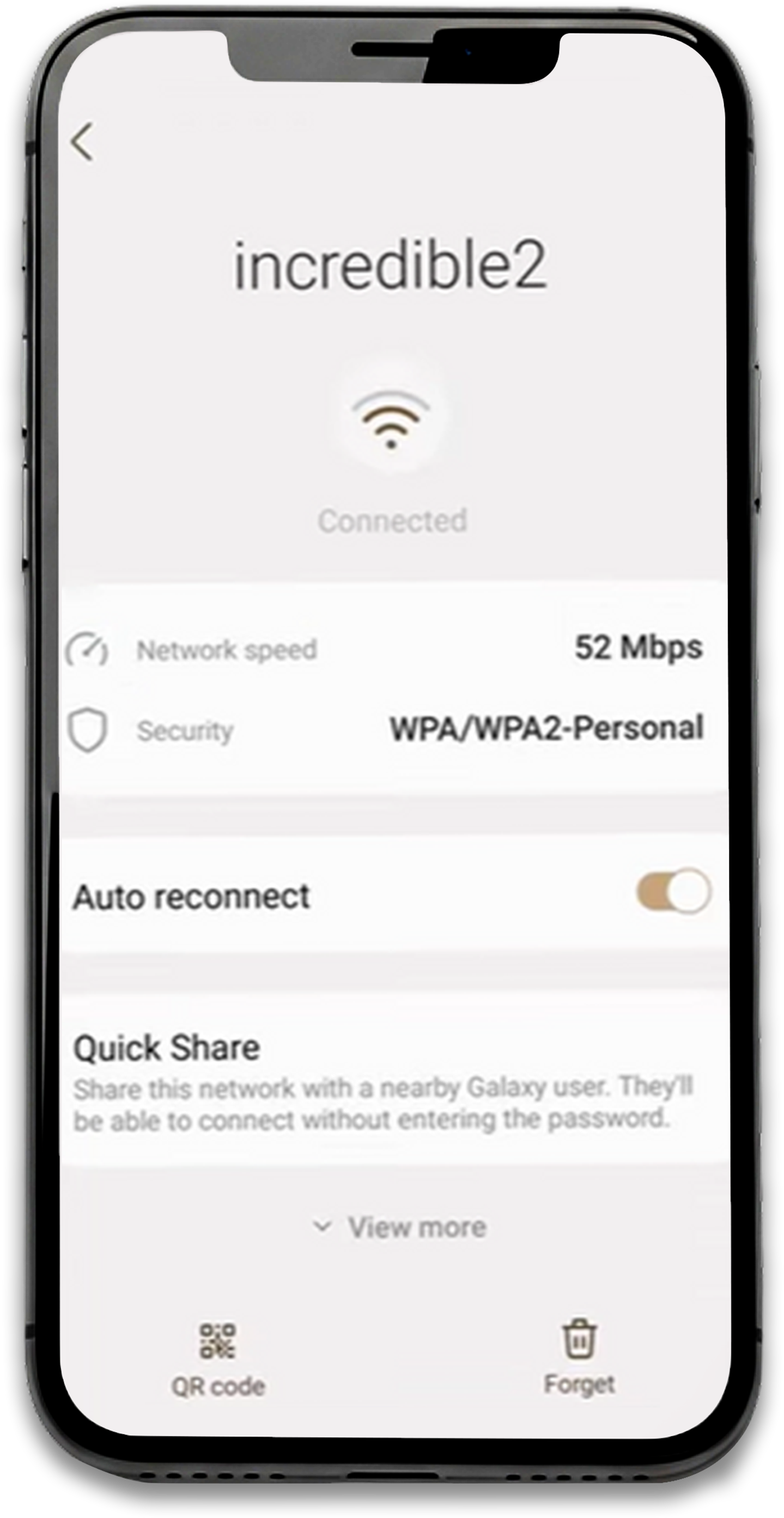
Tap Share

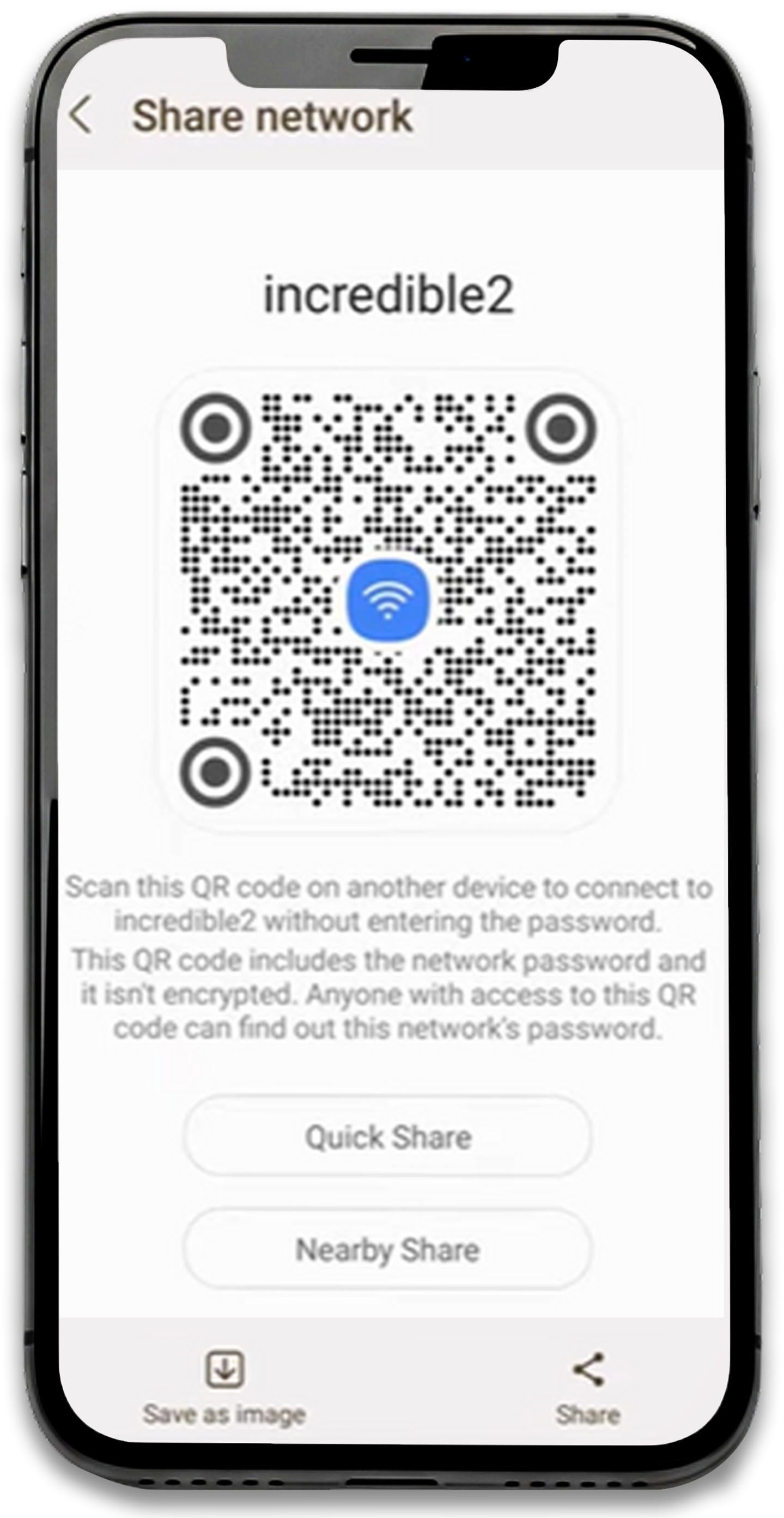
A Wi-Fi QR code will appear on your screen and point the QR code at the BlueTap camera

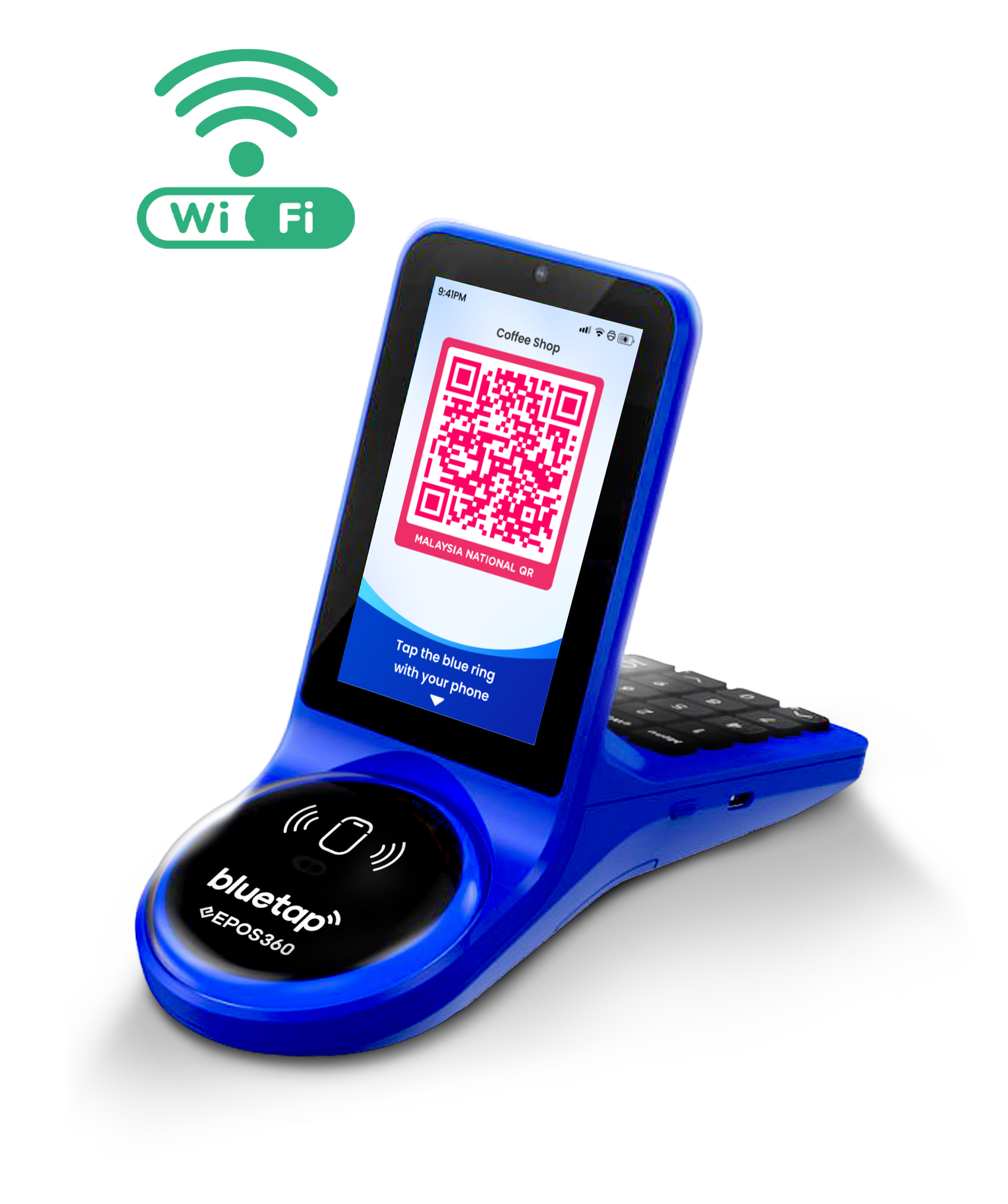
BlueTap will automatically connect to the Wi-Fi network
iOS Devices (iPhone)
Open Settings
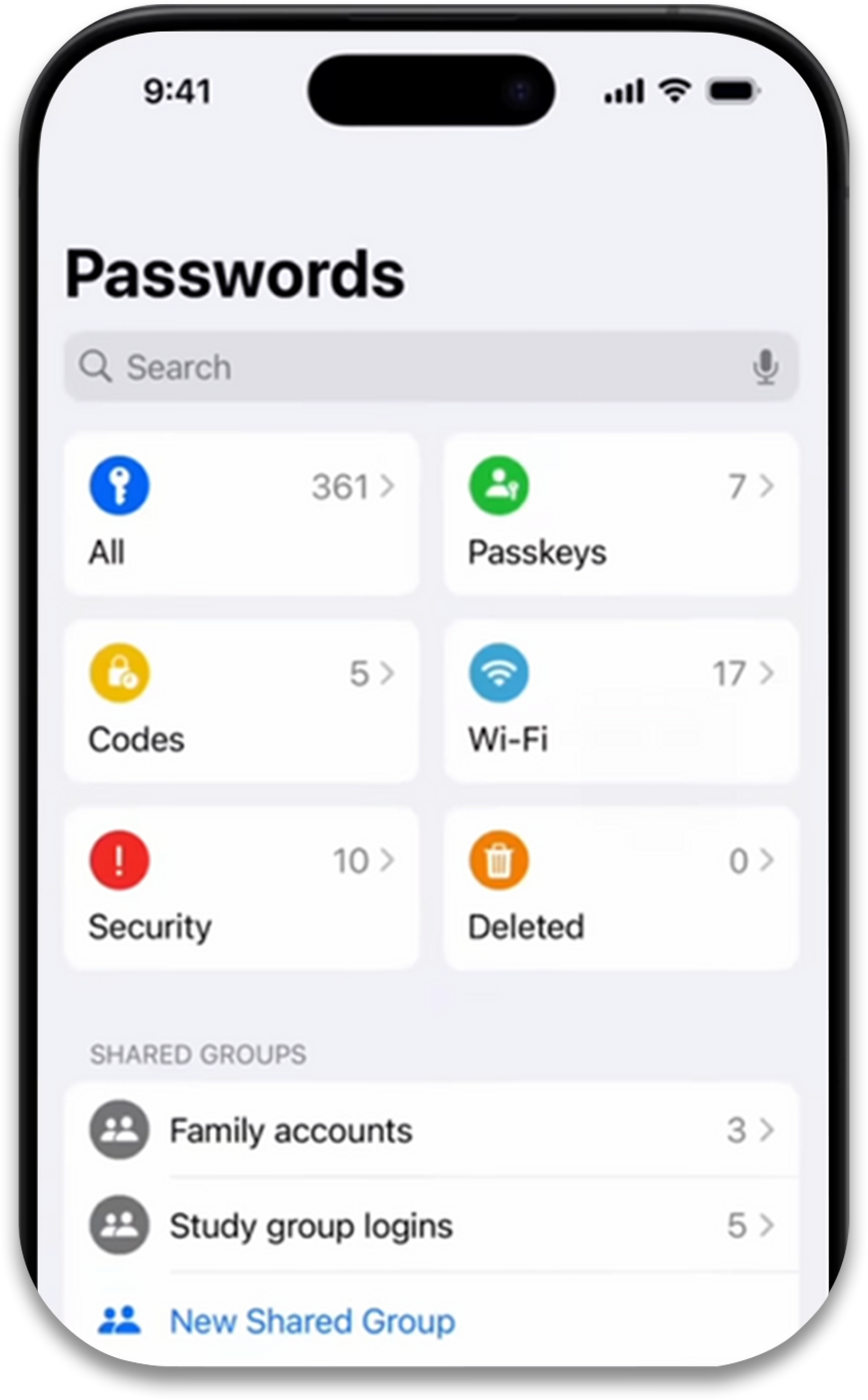
Tap Wi-Fi
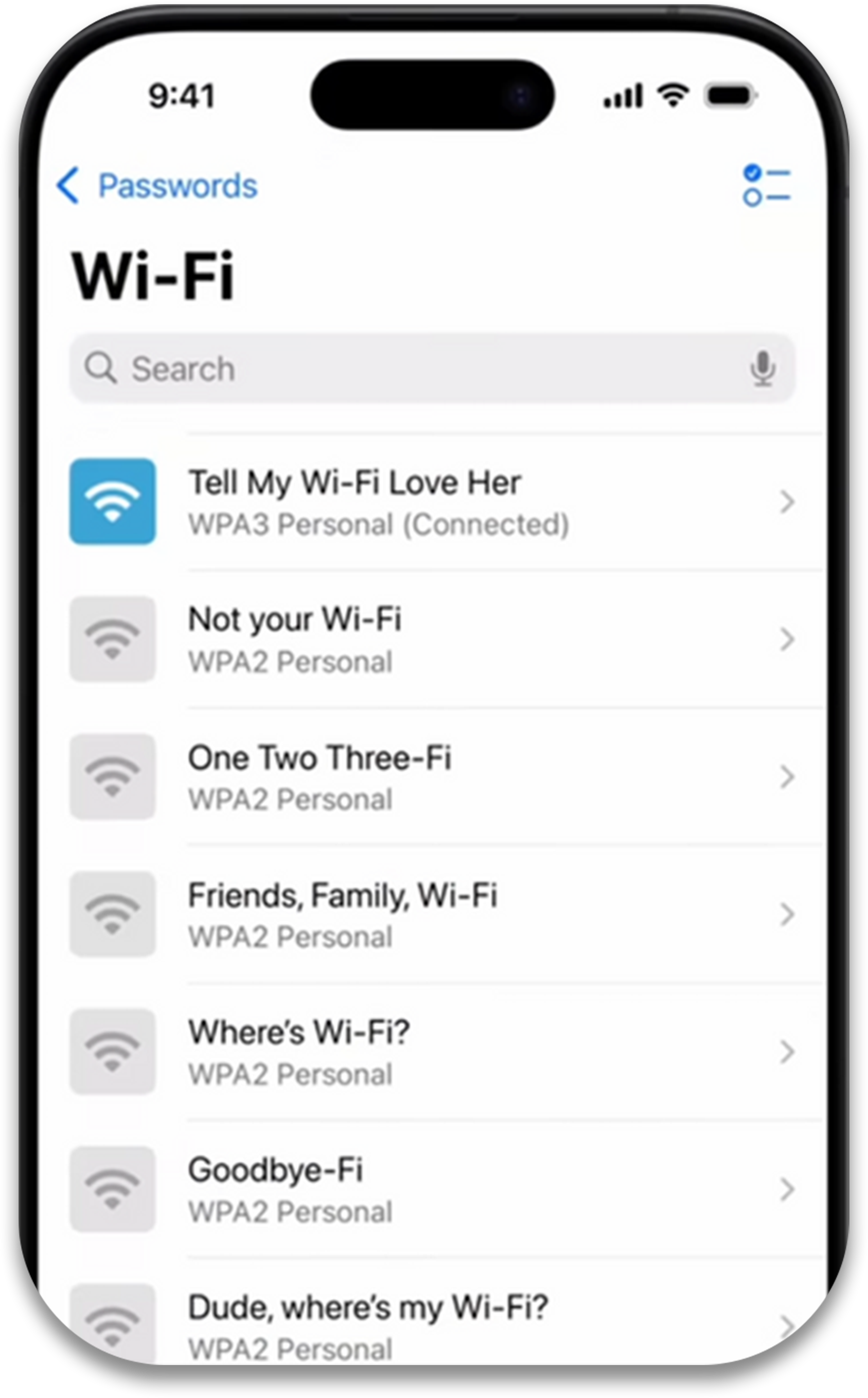
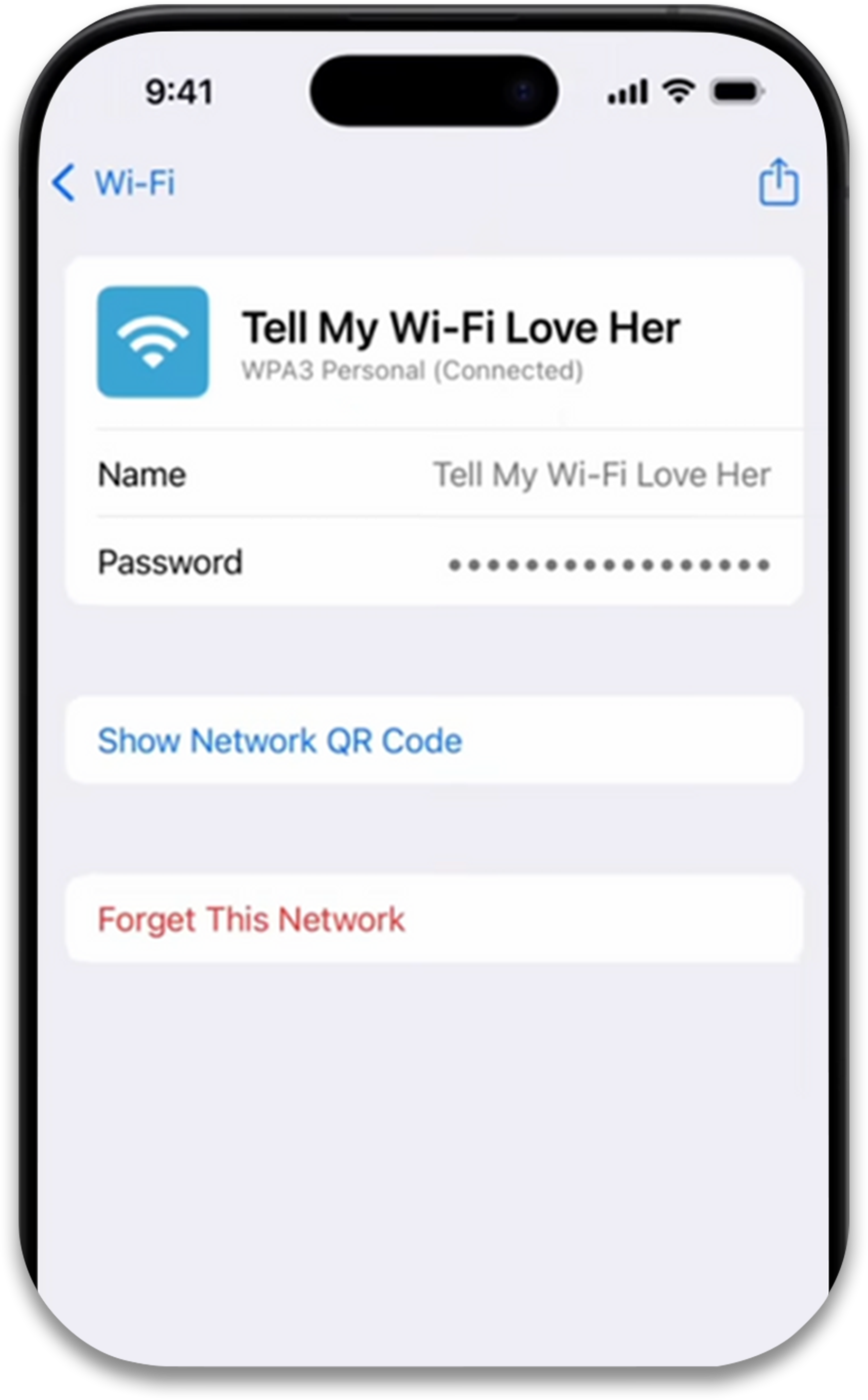
Tap Show Network QR Code
A Wi-Fi QR code will appear and point the QR code at the BlueTap camera
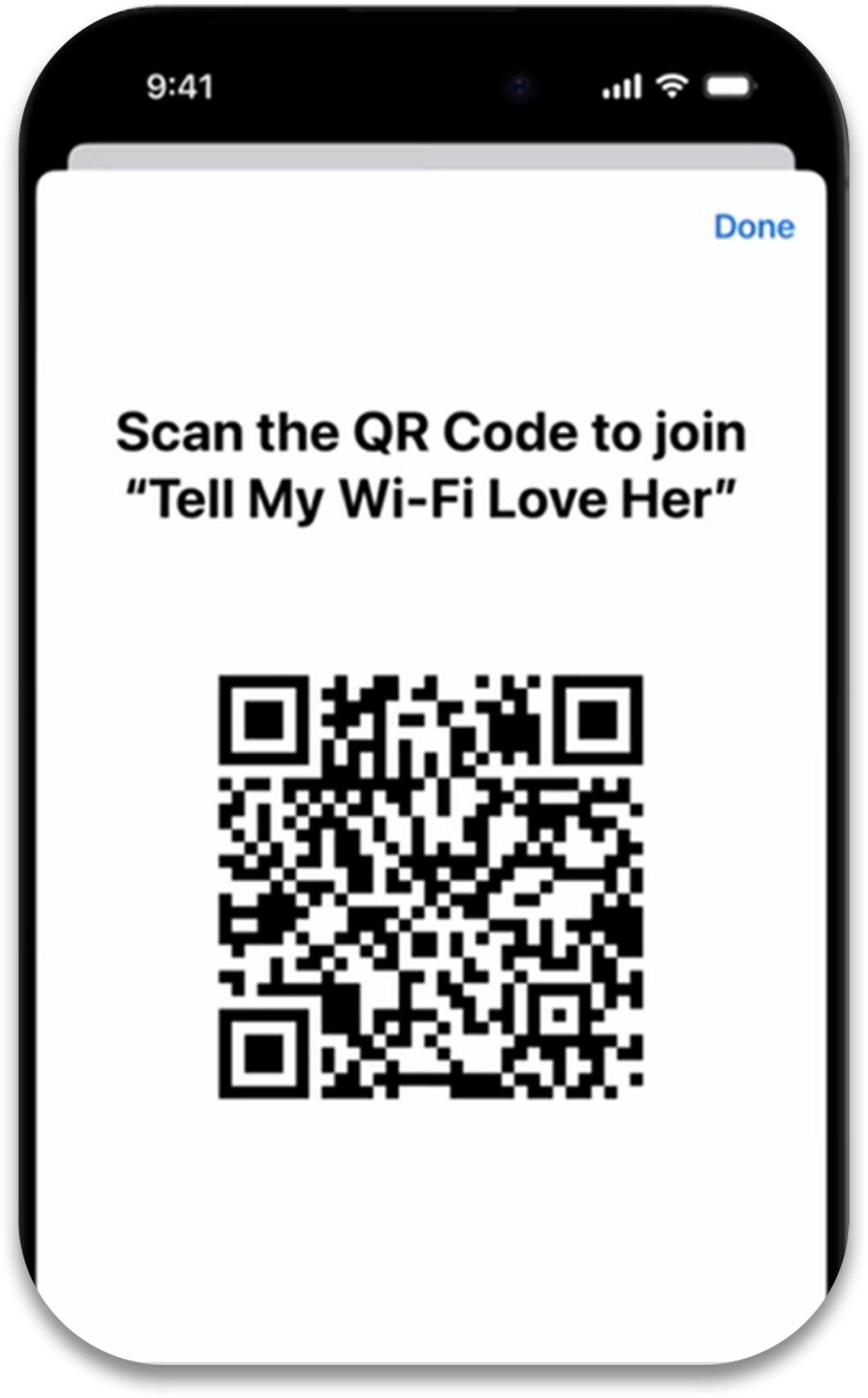
BlueTap will automatically connect to the Wi-Fi network
Activation Steps
Open the Touch ’n Go eWallet app and tap your Profile icon
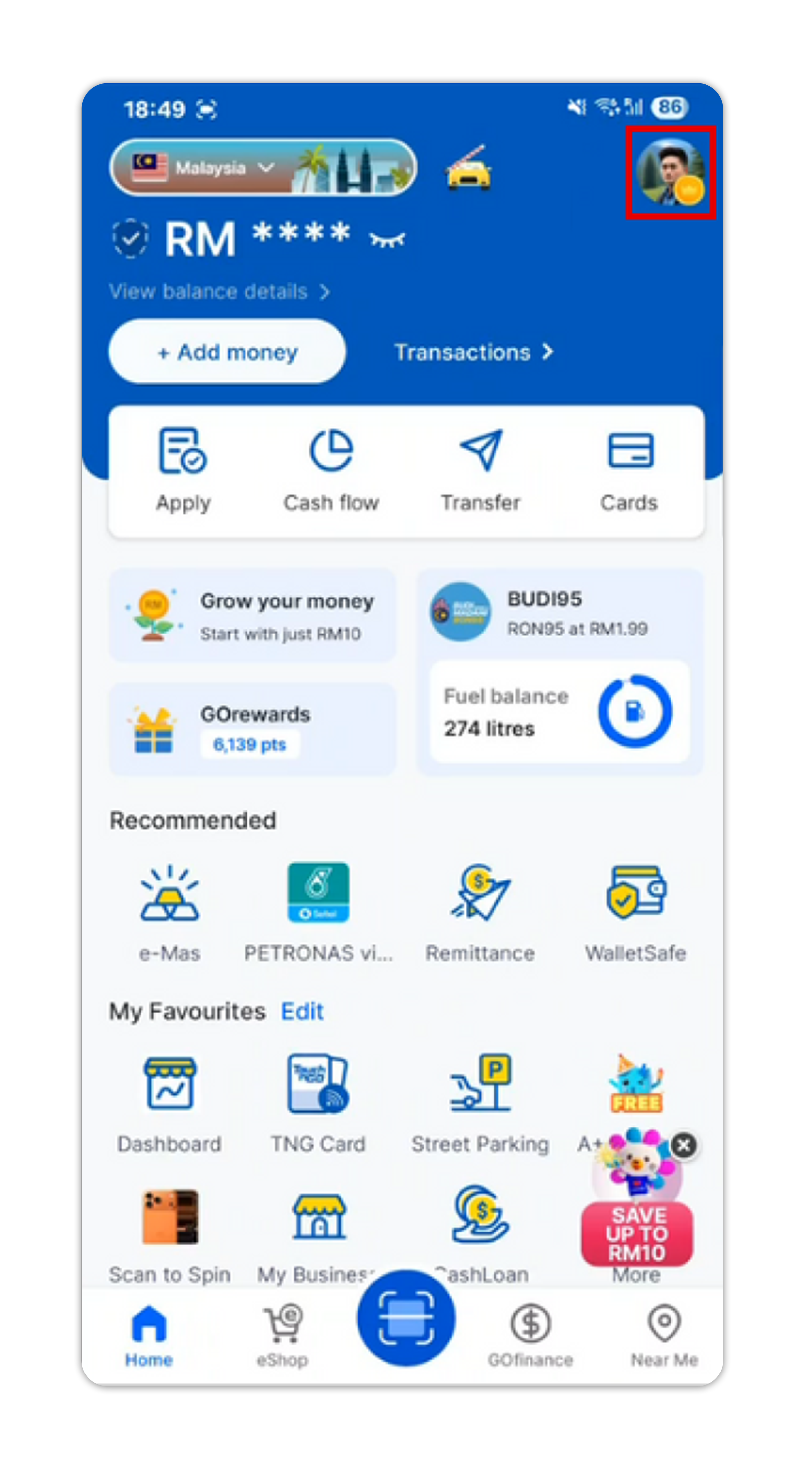
Open the Touch ’n Go eWallet app and tap your Profile icon
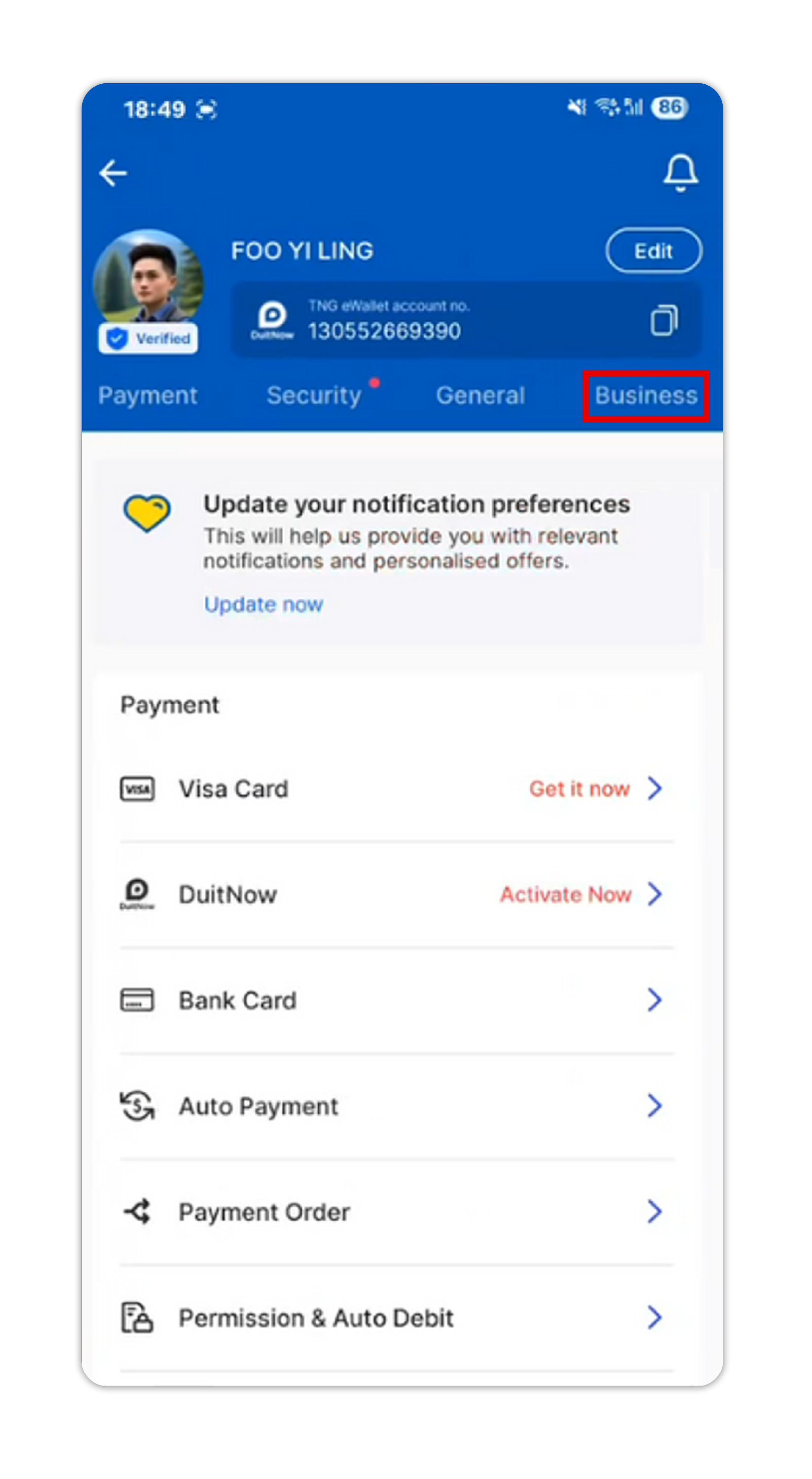
Open the Touch ’n Go eWallet app and tap your Profile icon
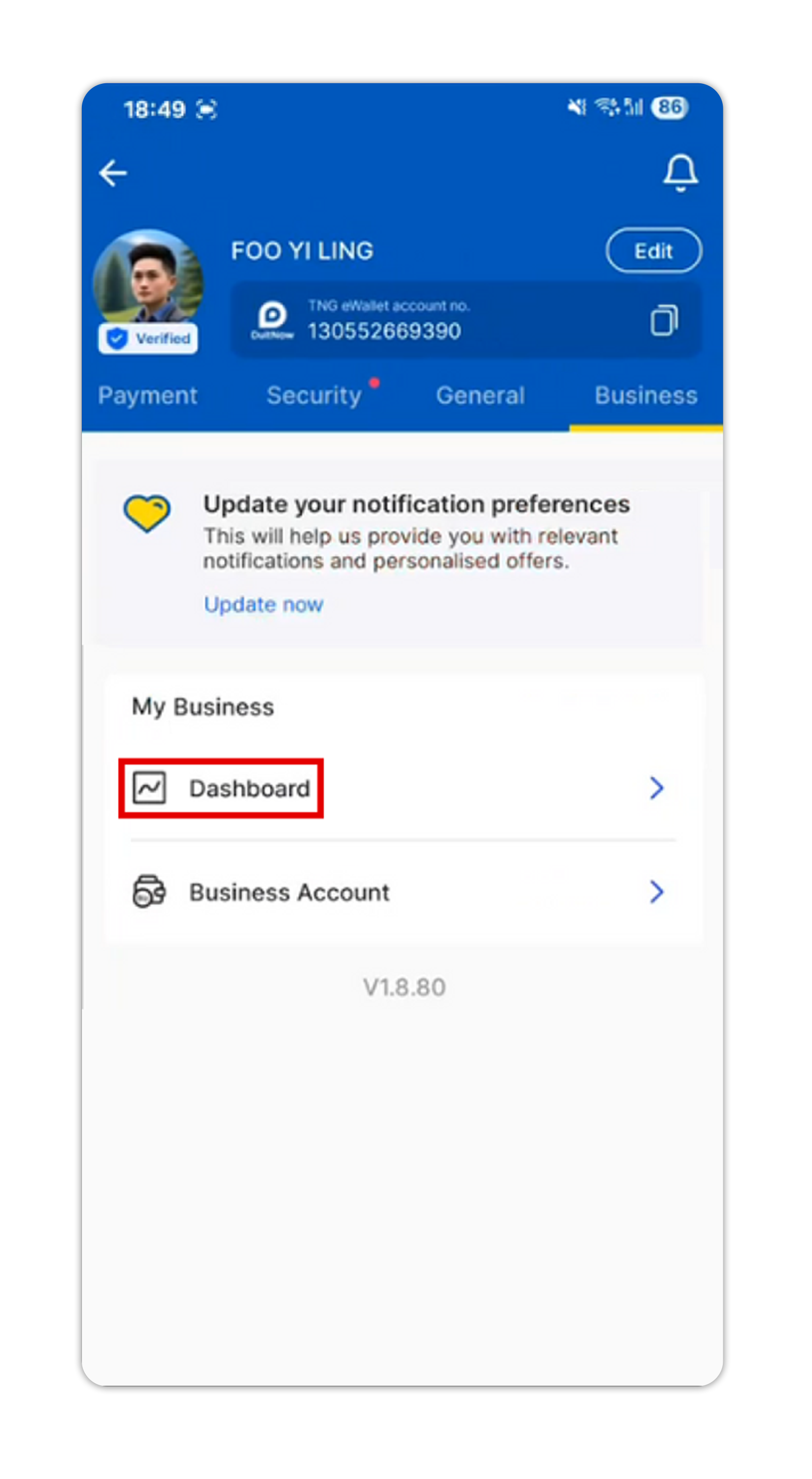
Open the Touch ’n Go eWallet app and tap your Profile icon
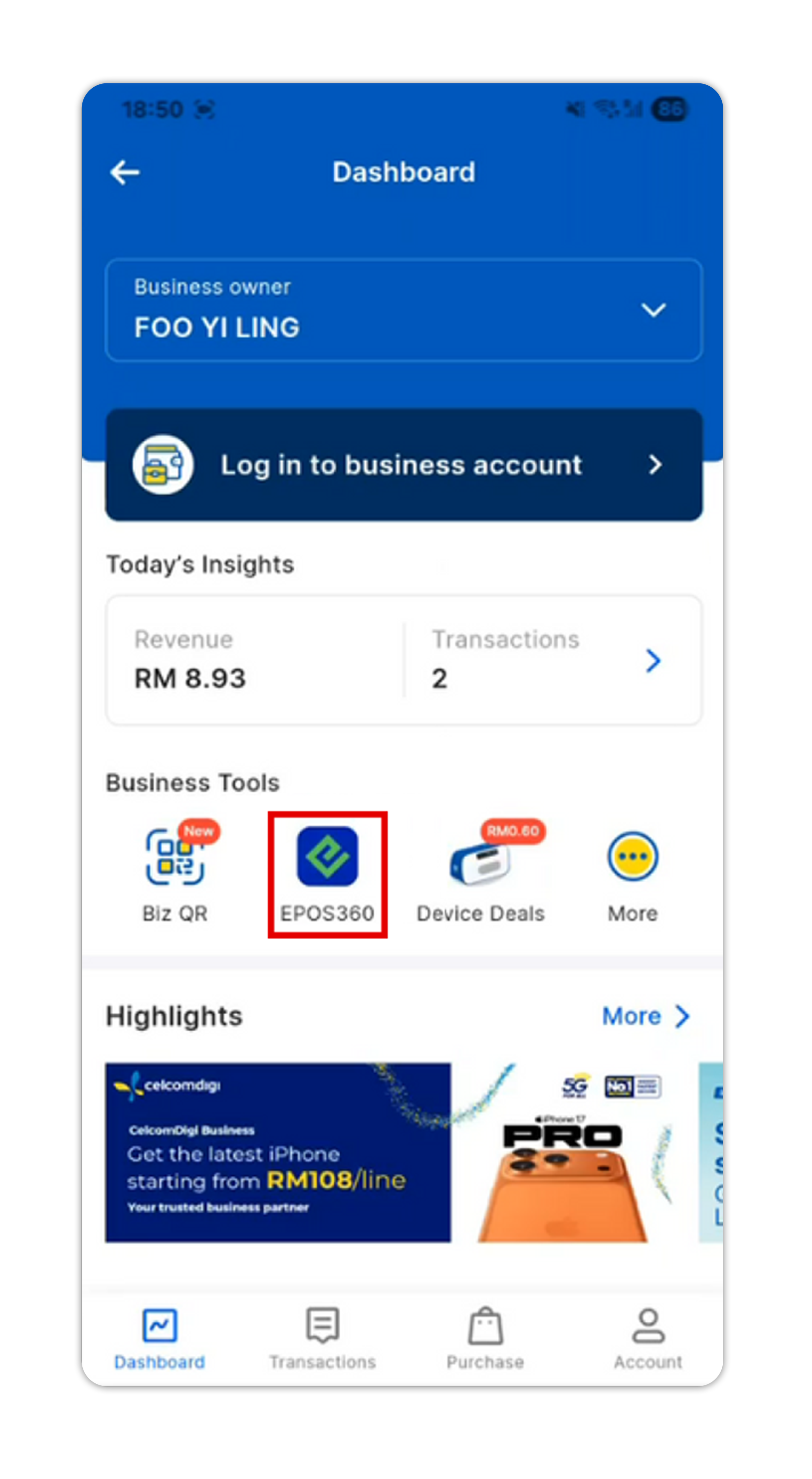
Activation Steps
Open the Touch ’n Go eWallet app and tap your Profile icon
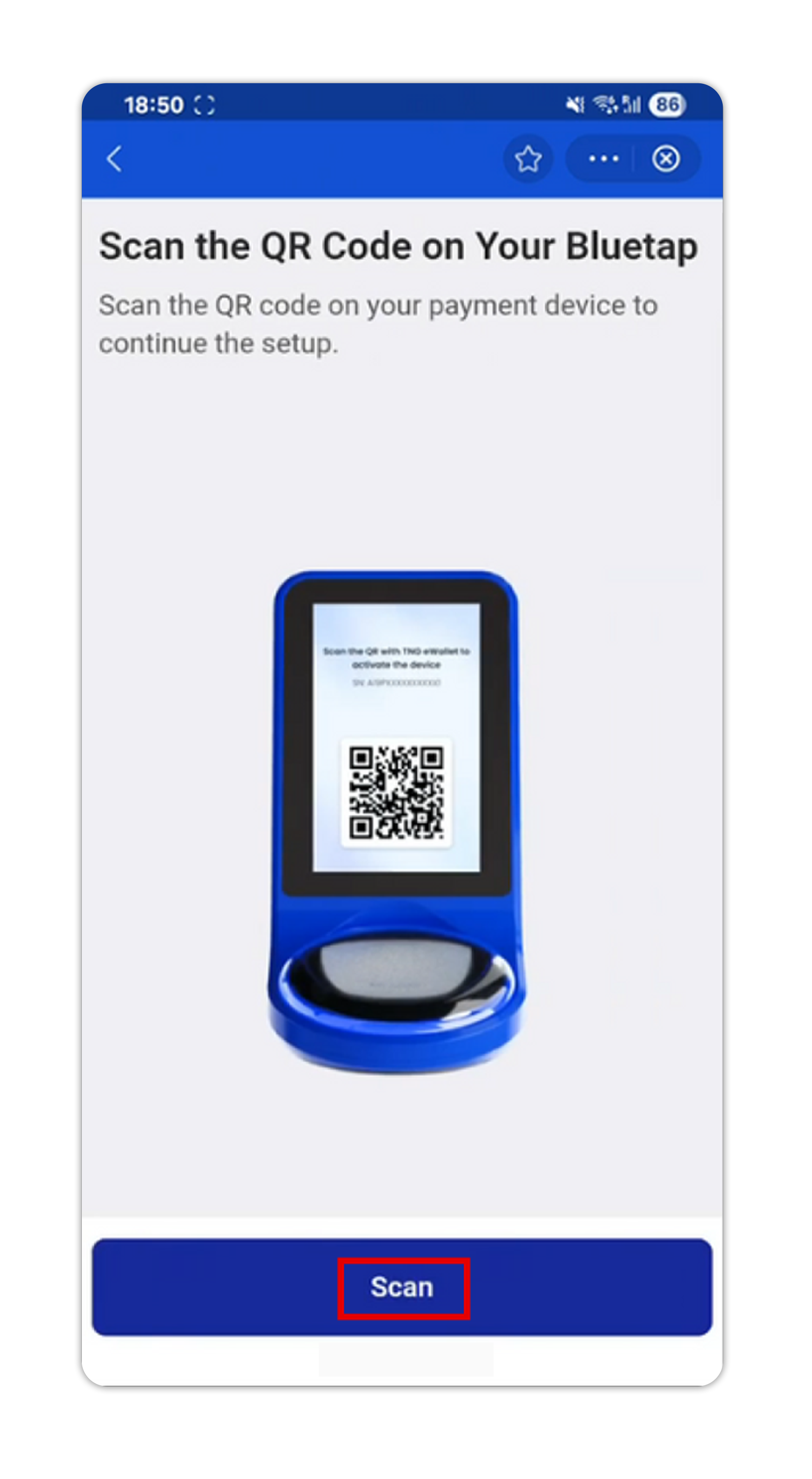
Open the Touch ’n Go eWallet app and tap your Profile icon
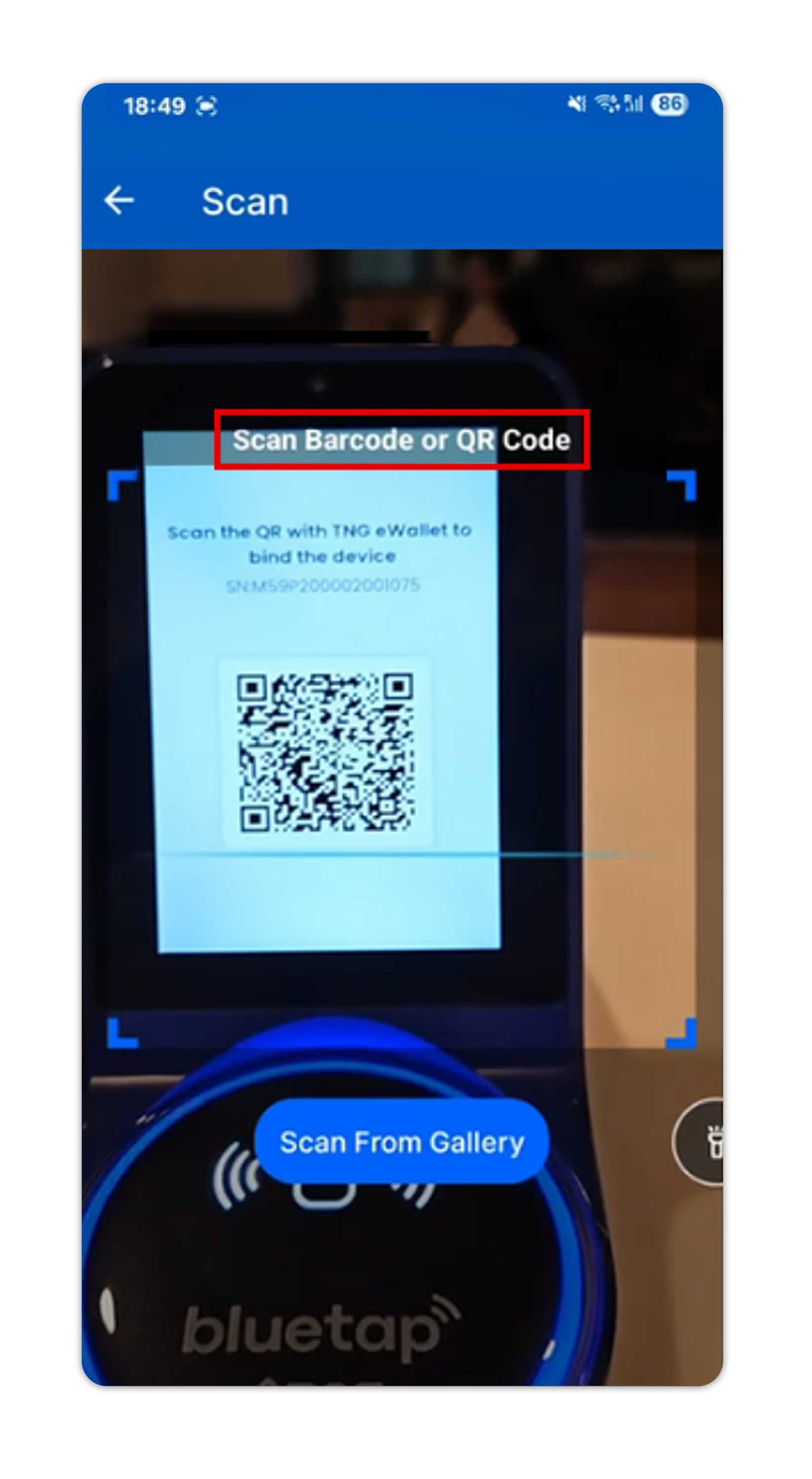

Open the Touch ’n Go eWallet app and tap your Profile icon
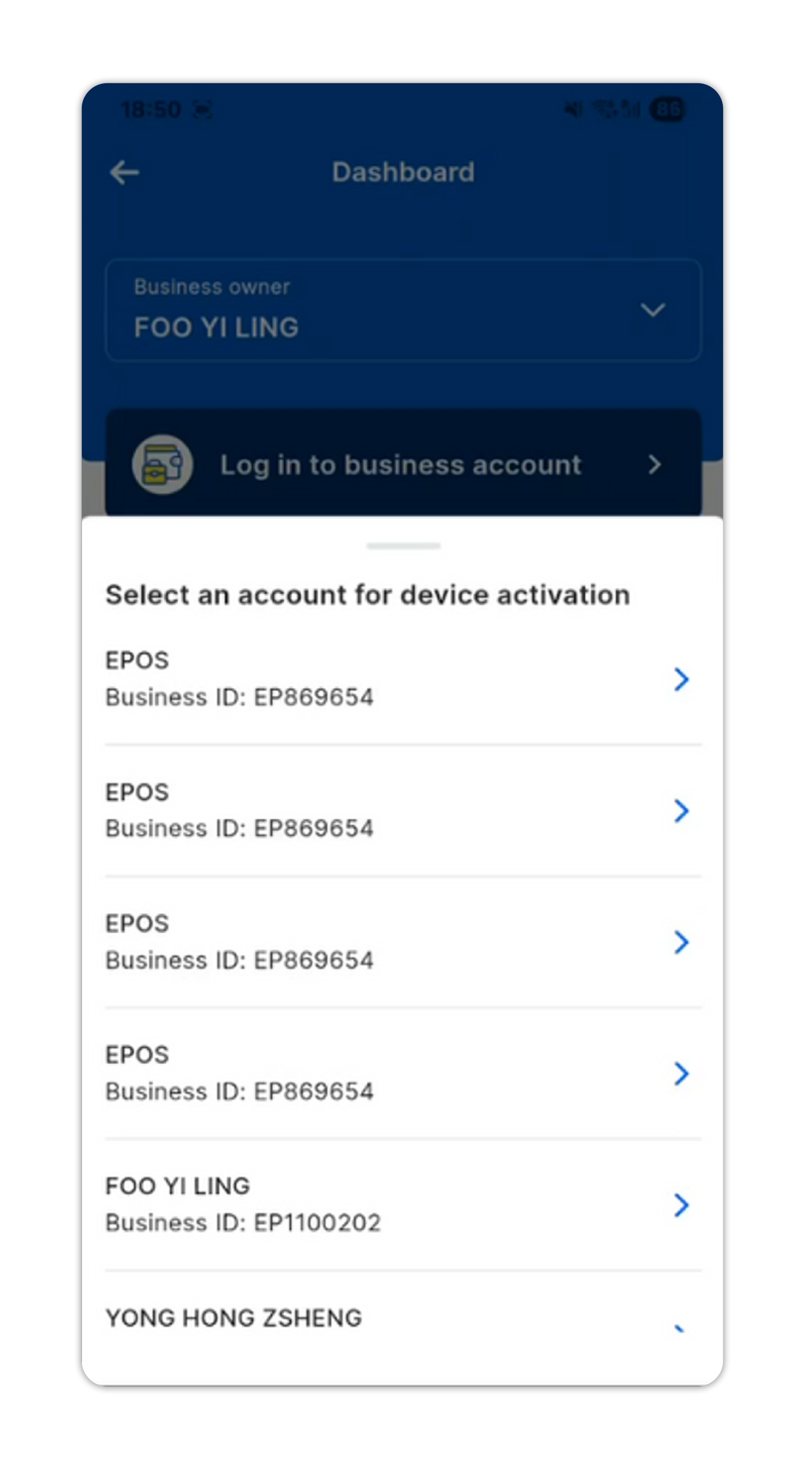
Open the Touch ’n Go eWallet app and tap your Profile icon
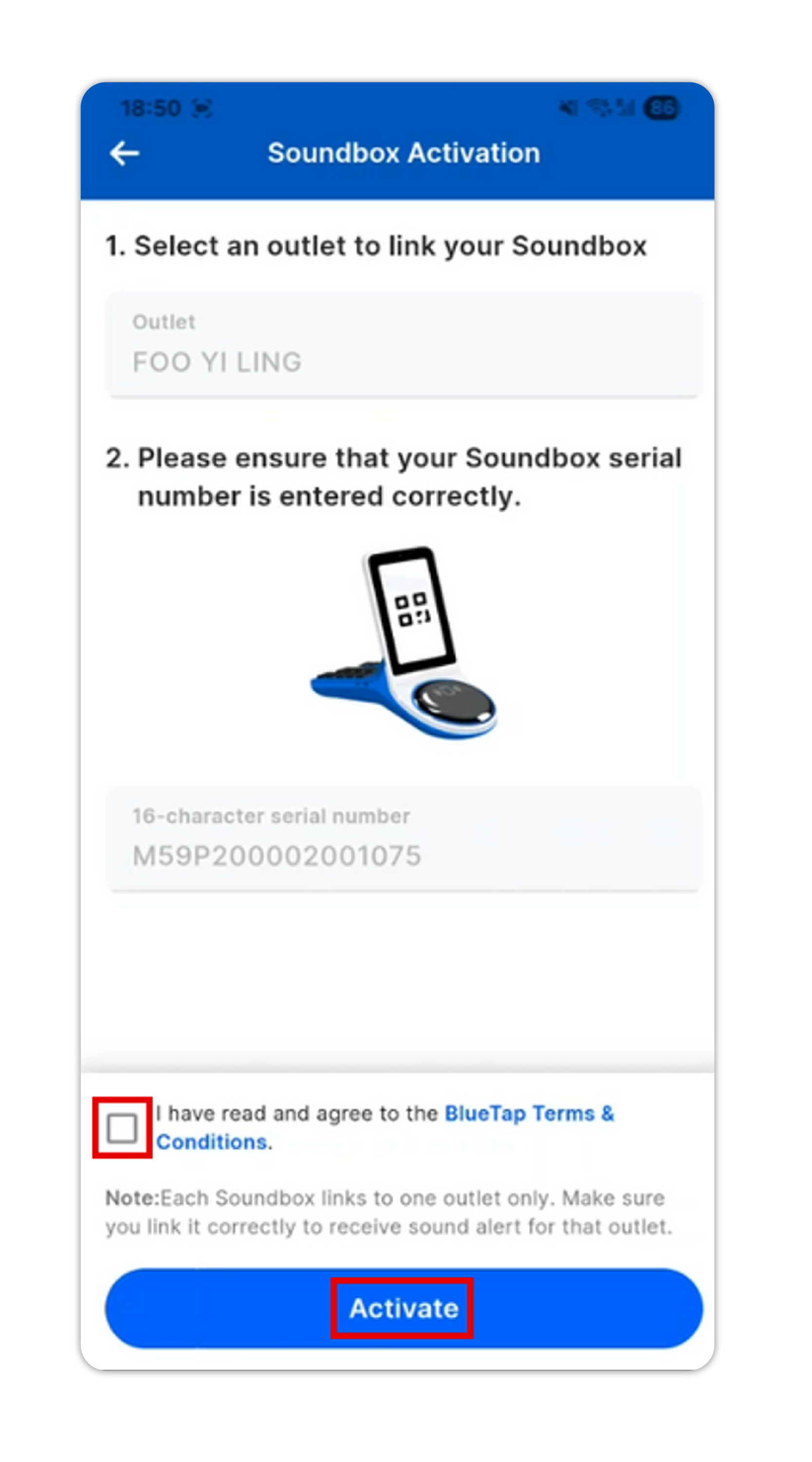
Completion
Open the Touch ’n Go eWallet app and tap your Profile icon
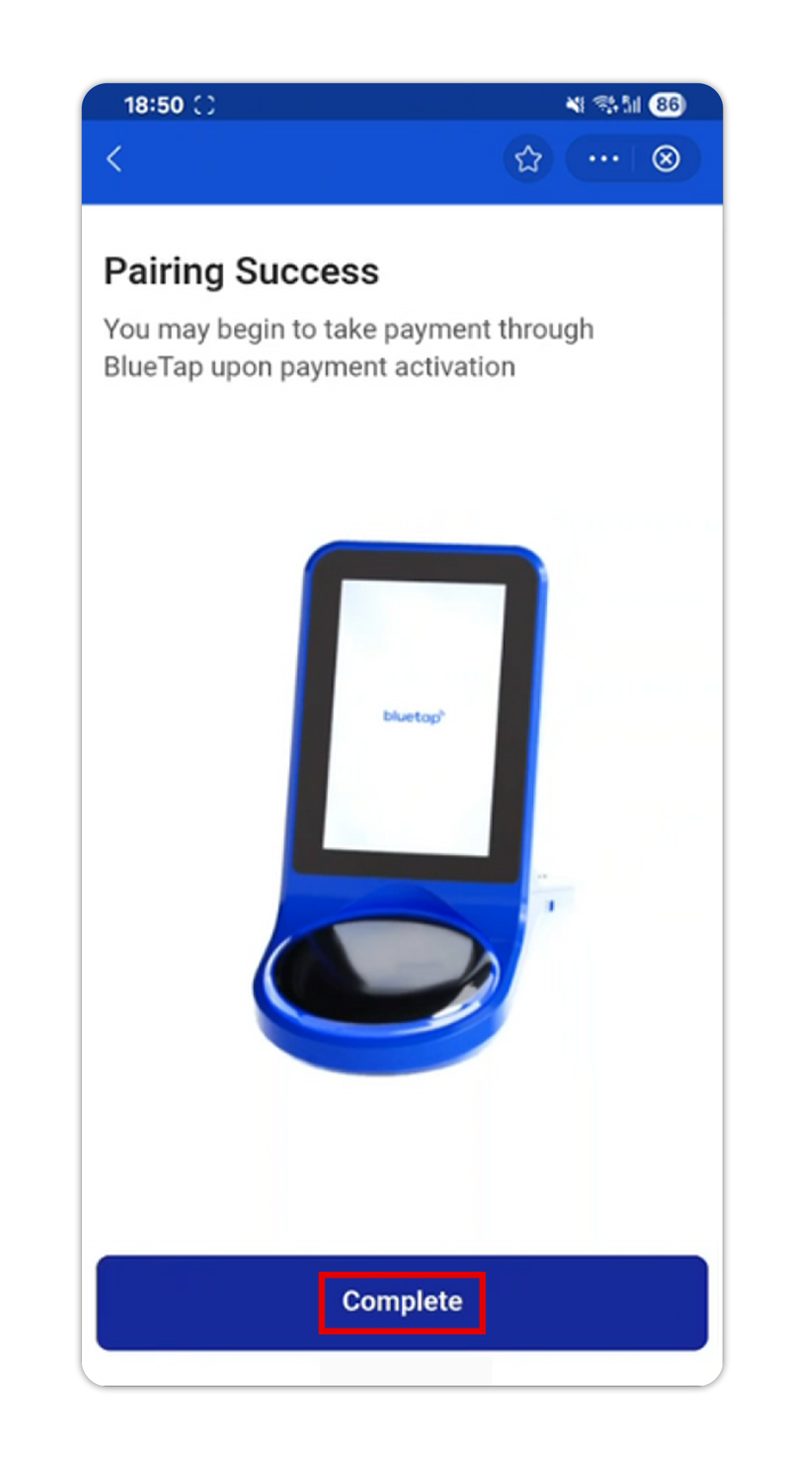
Open the Touch ’n Go eWallet app and tap your Profile icon
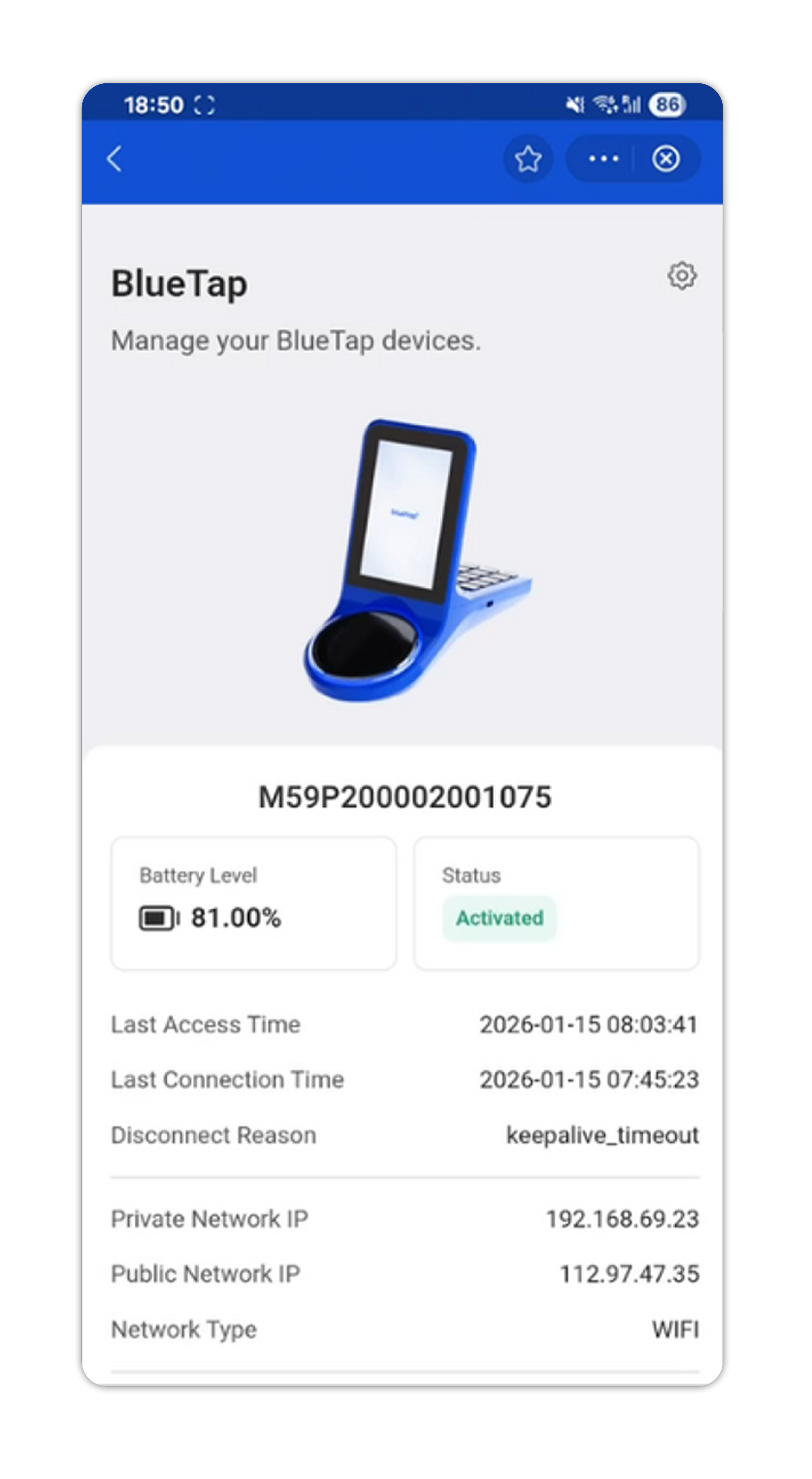
Open the Touch ’n Go eWallet app and tap your Profile icon